Every app you work with.
One screen of keys.
כל התוכנות שלך.
מסך אחד של מקשים.
Music, graphics, video, streaming, office and code - the leading apps come ready, laid out like a pro would, every key from the maker's own documentation. Keys, knobs and faders that show what your apps are doing right now. No hardware to buy. מוזיקה, גרפיקה, וידאו, שידור, משרד וקוד - התוכנות המובילות מגיעות מוכנות, מסודרות כמו שמקצוען היה מסדר, וכל מקש מהתיעוד הרשמי של היצרן. מקשים, כפתורים ופיידרים שמראים מה התוכנות שלך עושות ברגע זה. בלי לקנות חומרה.
₪25 a month, yours after 12 · Windows 10 & 11 · English & Hebrew25 ₪ לחודש, שלך אחרי 12 · Windows 10 ו-11 · עברית ואנגלית
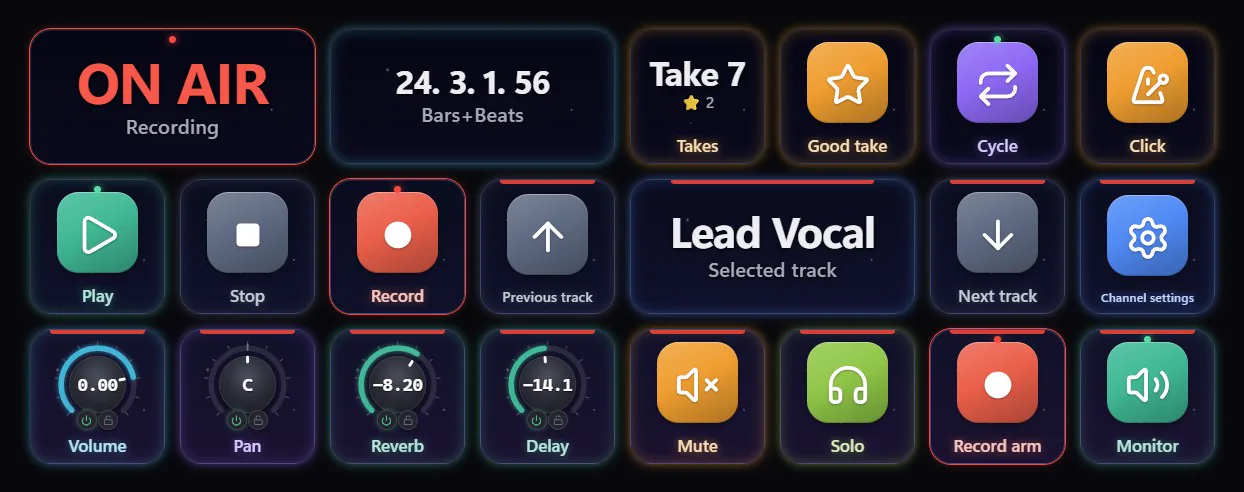
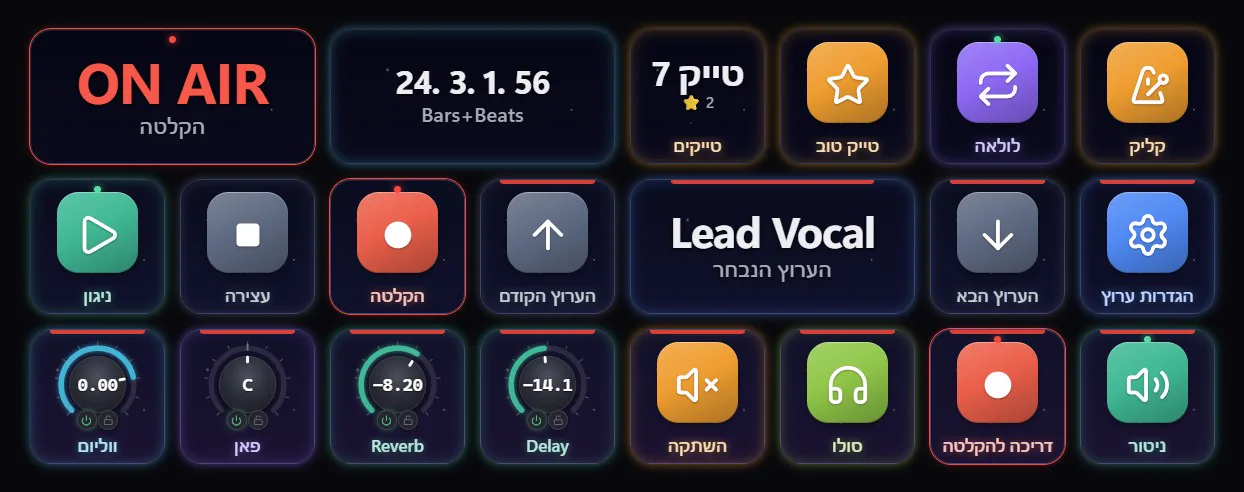
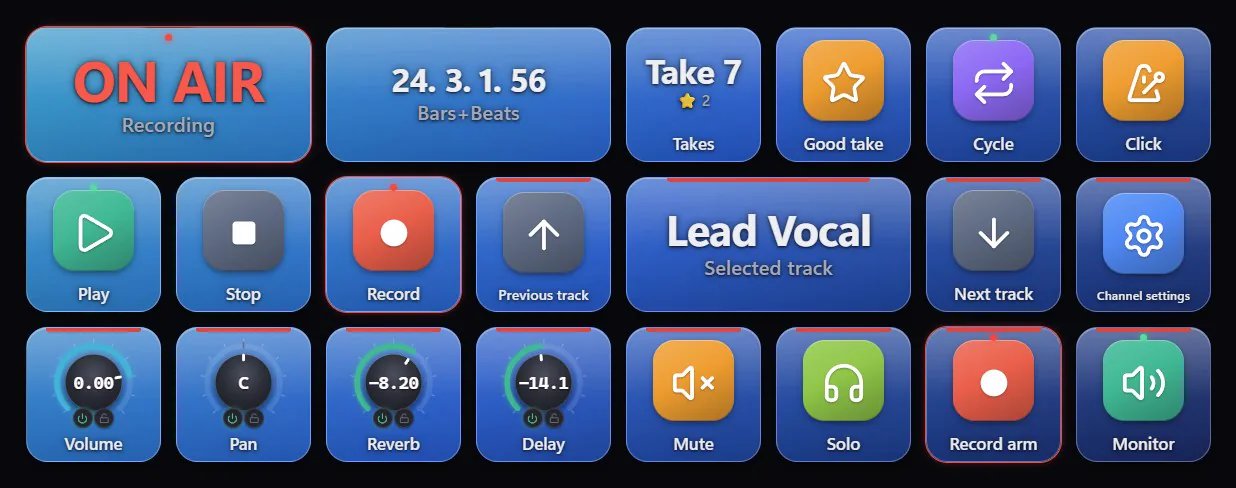
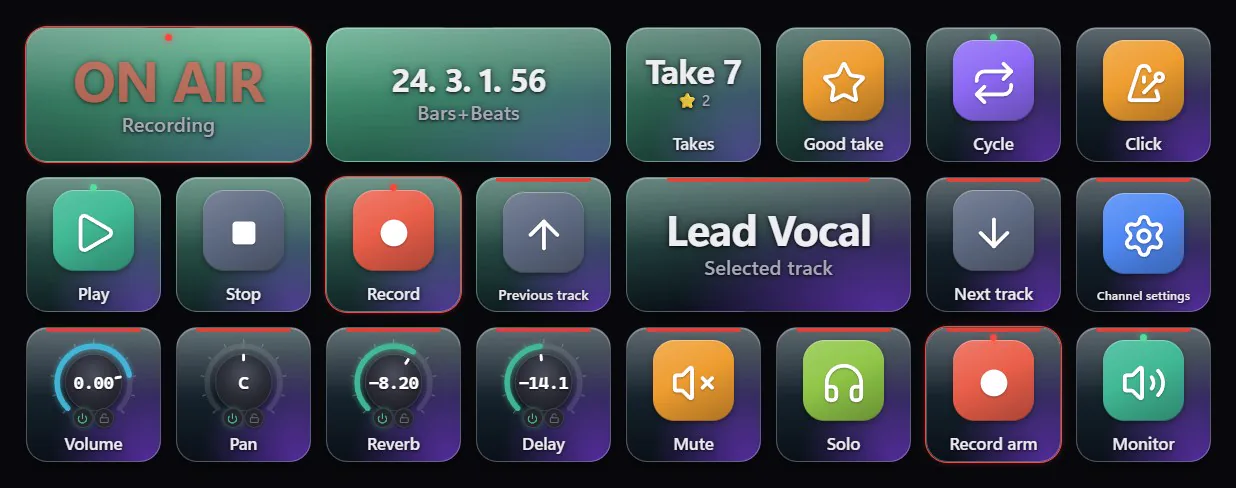
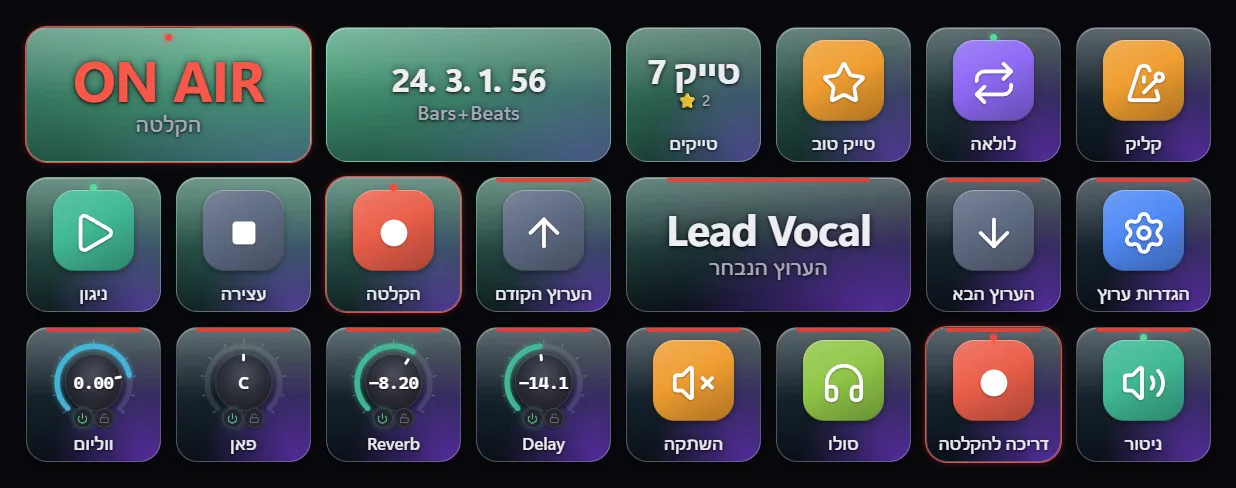
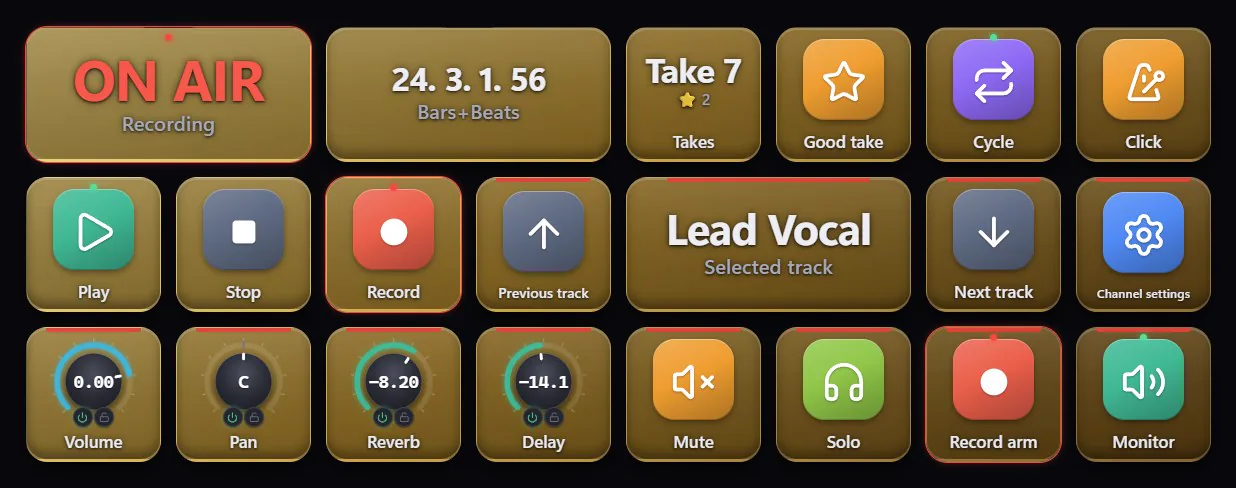
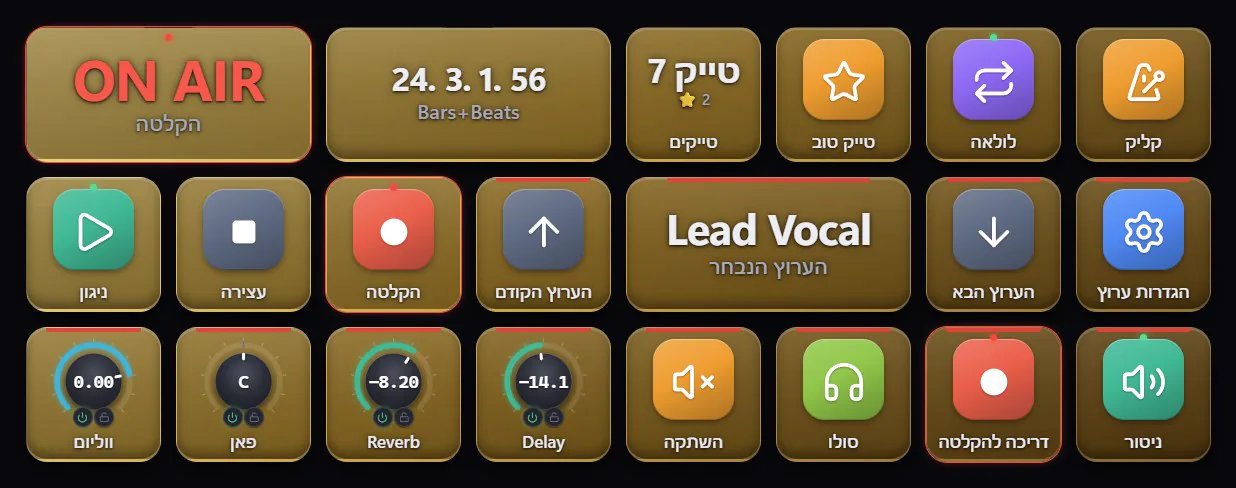
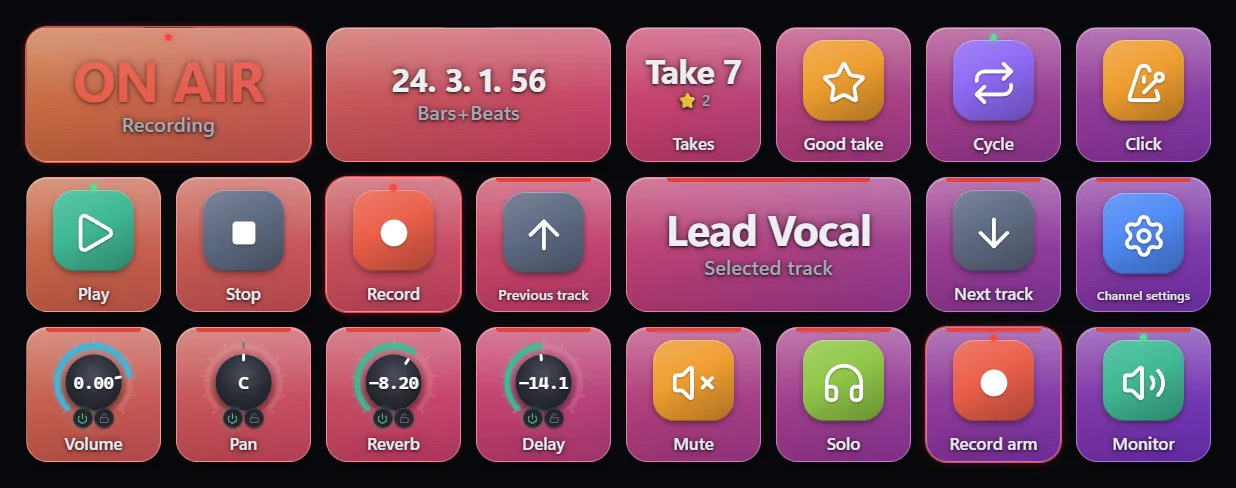
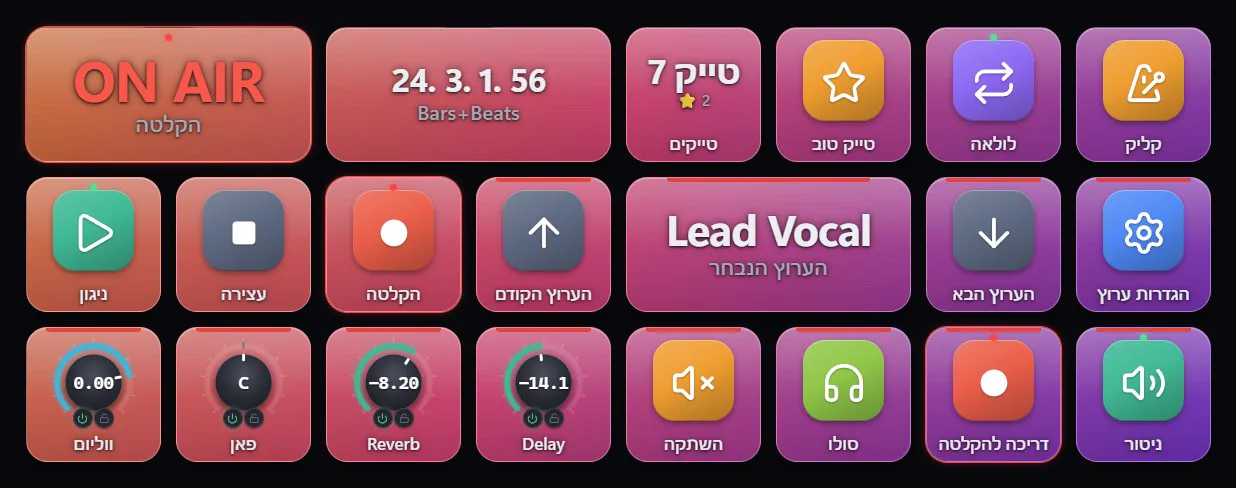
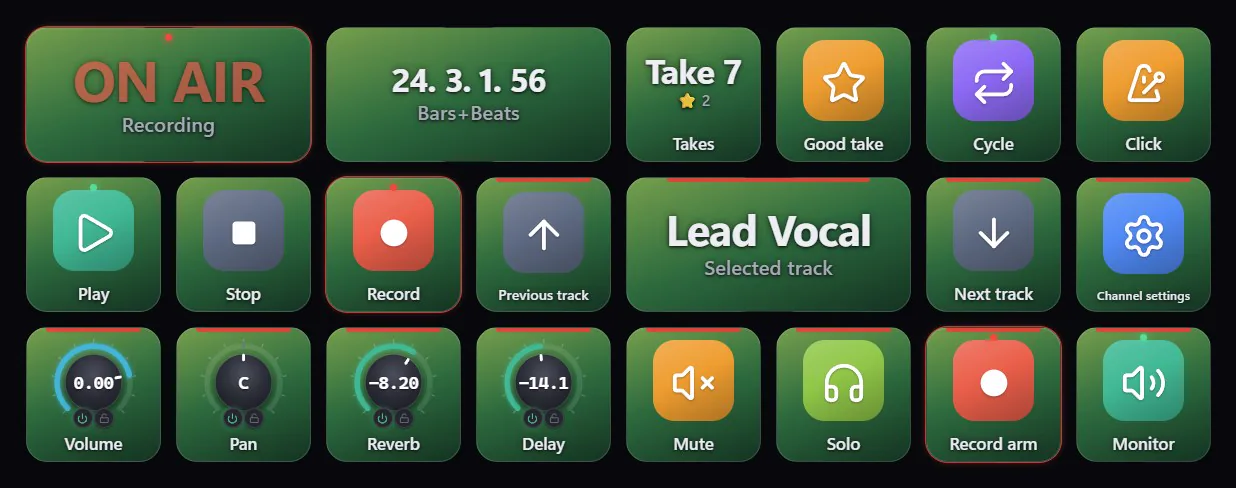
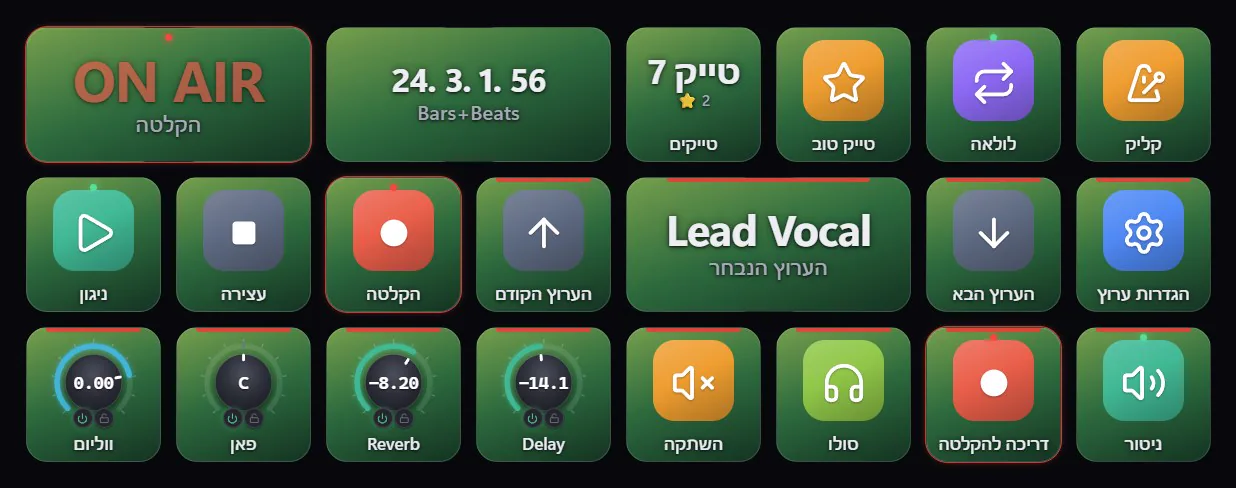
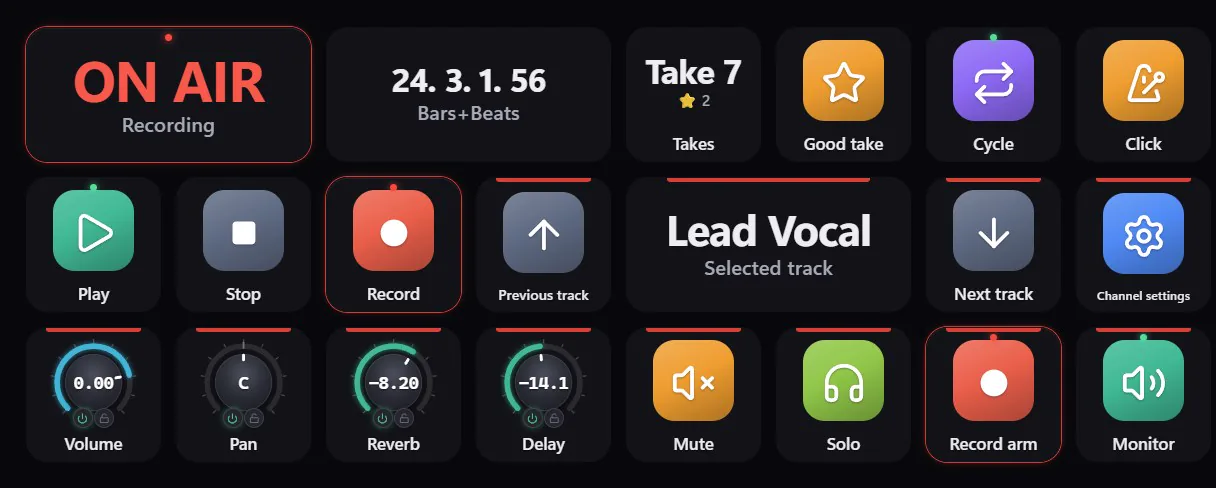
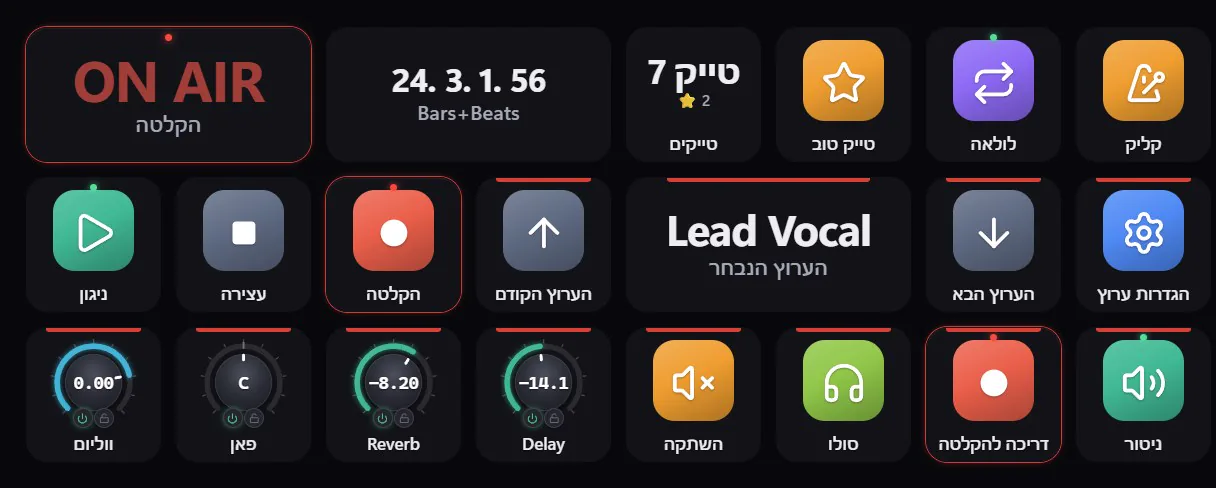
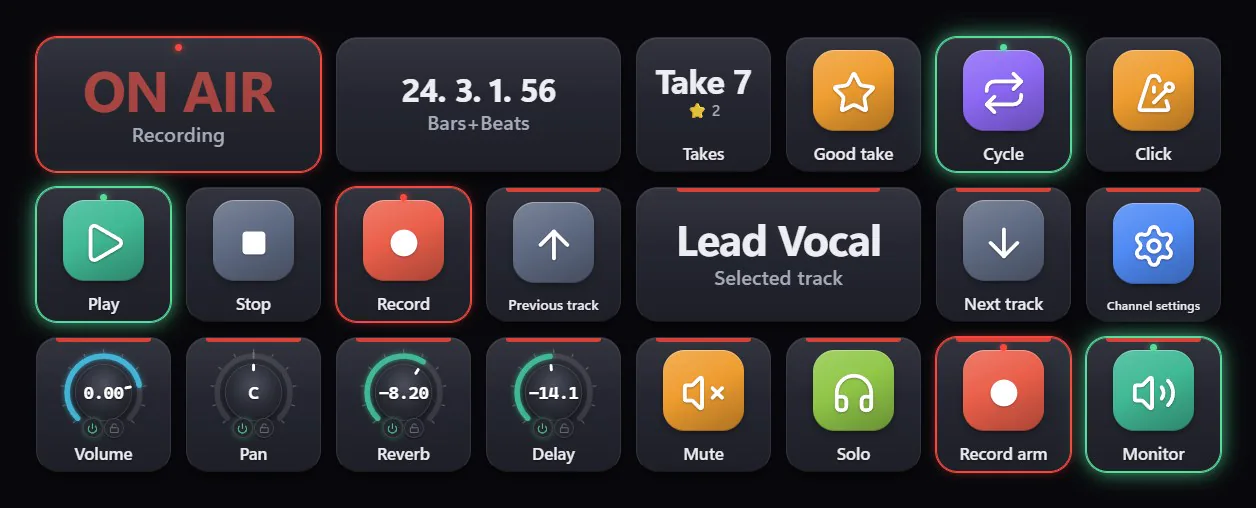
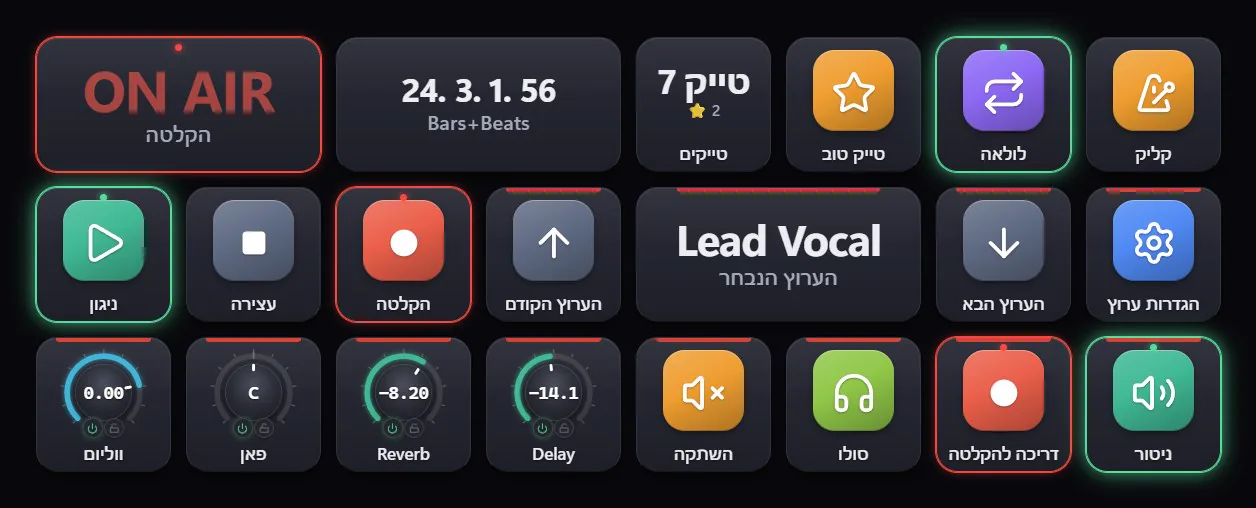
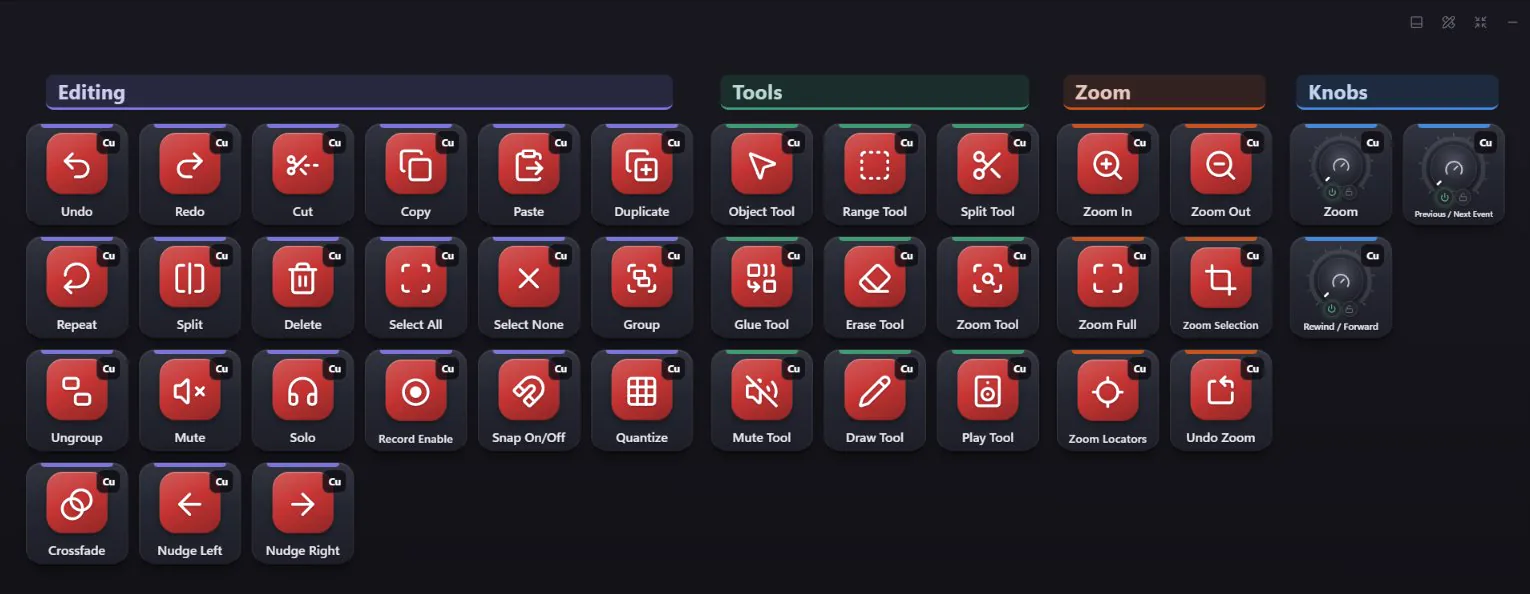
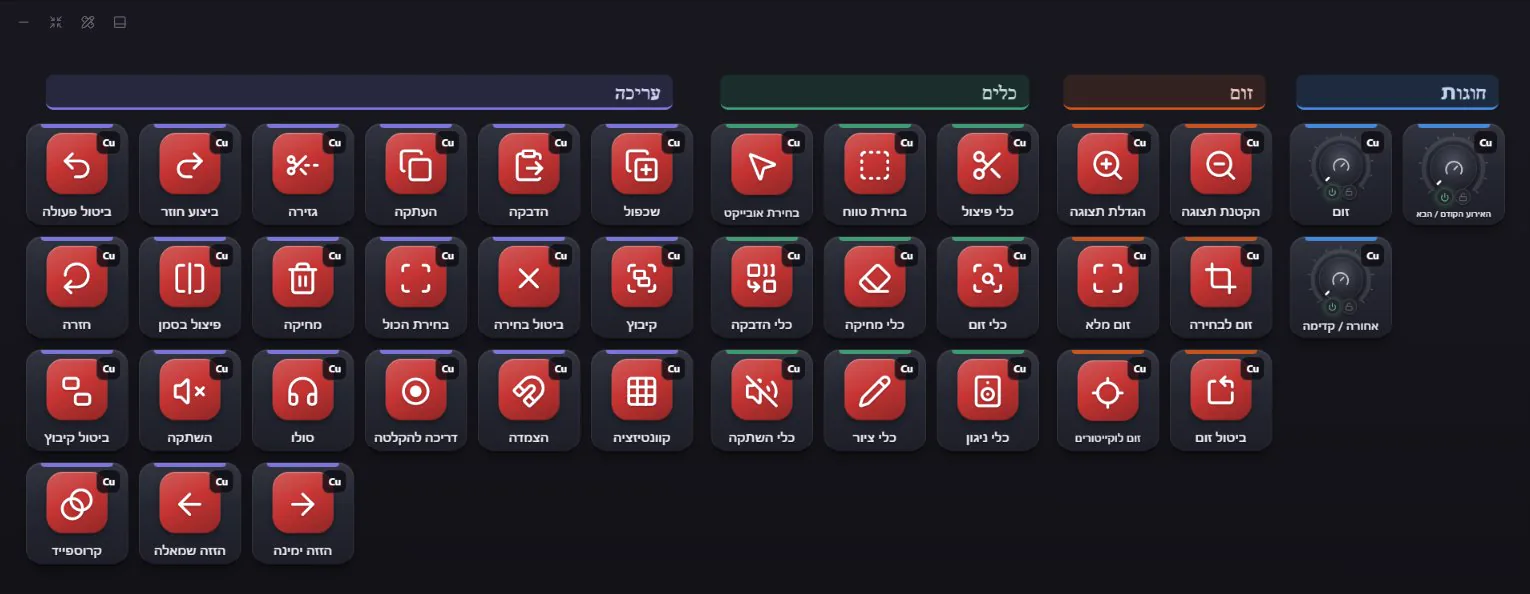
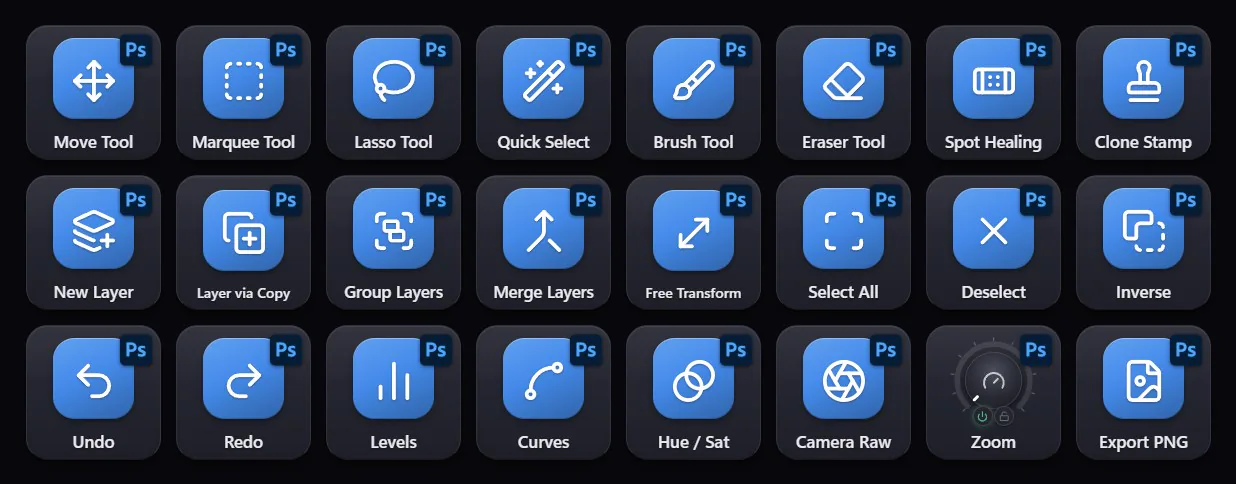
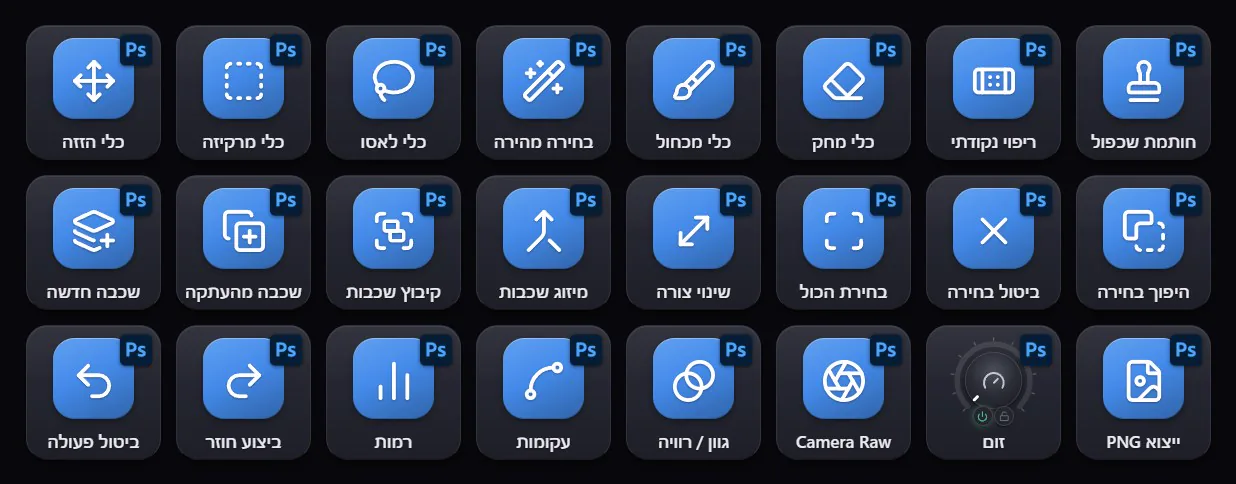
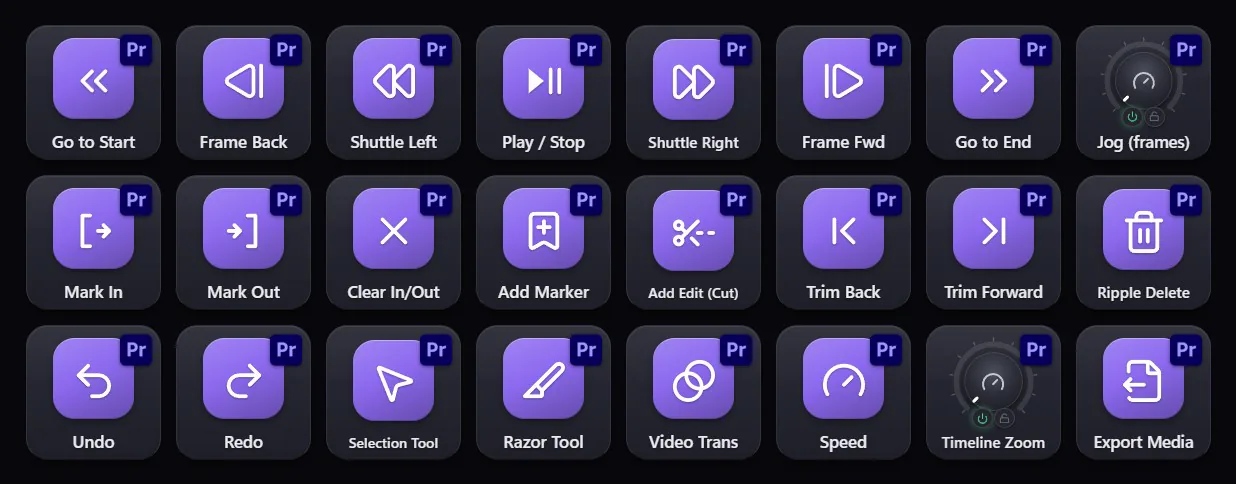
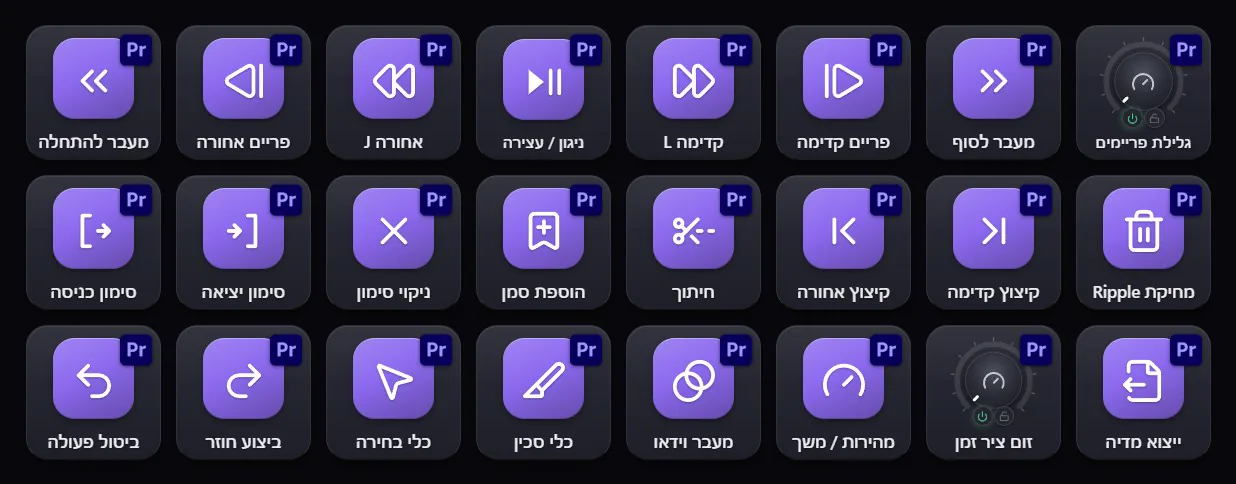
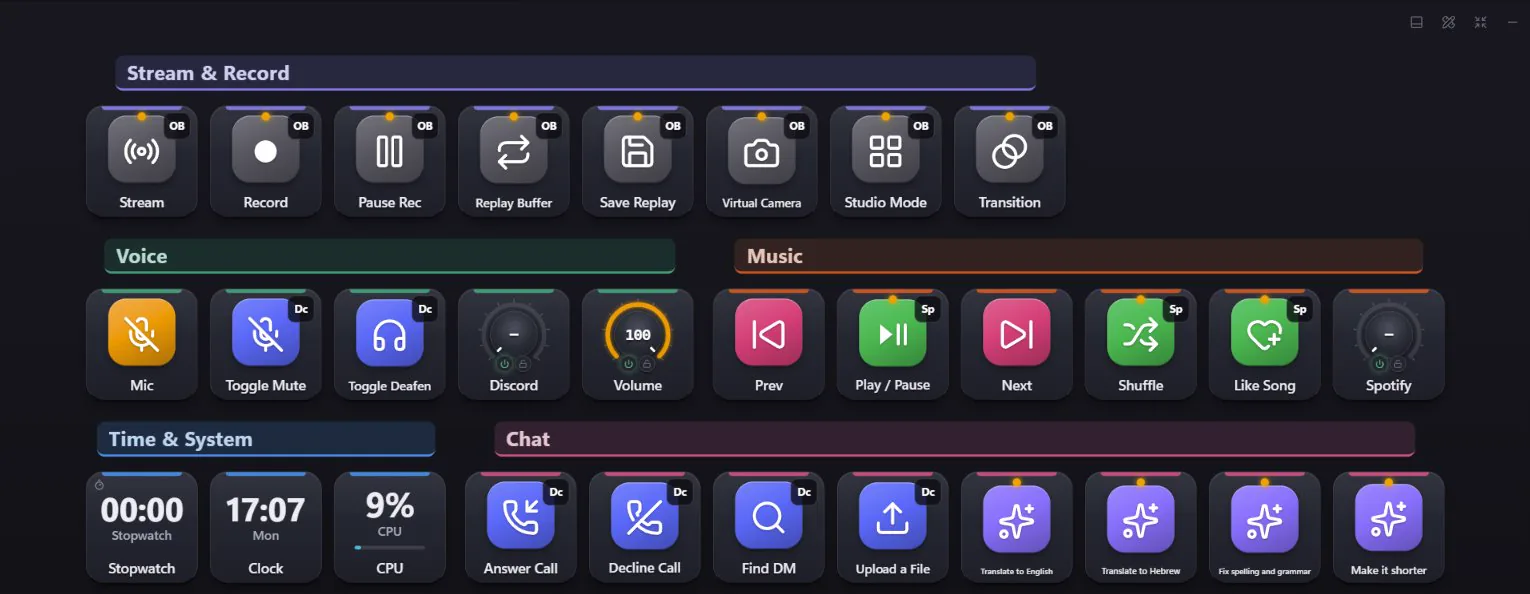
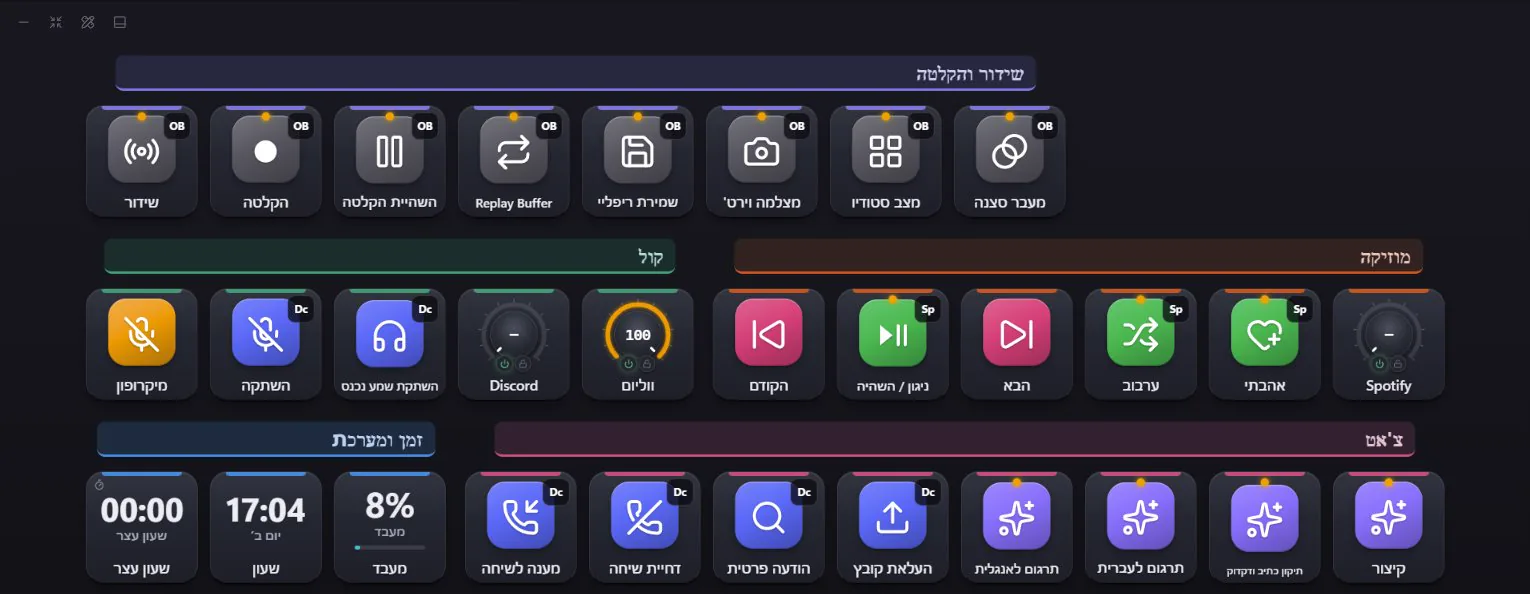
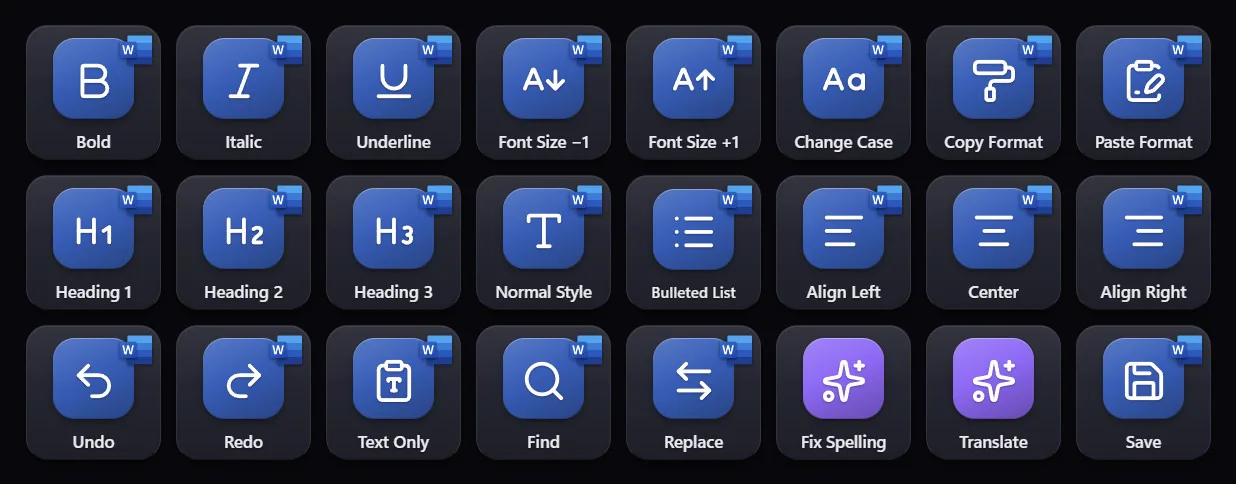
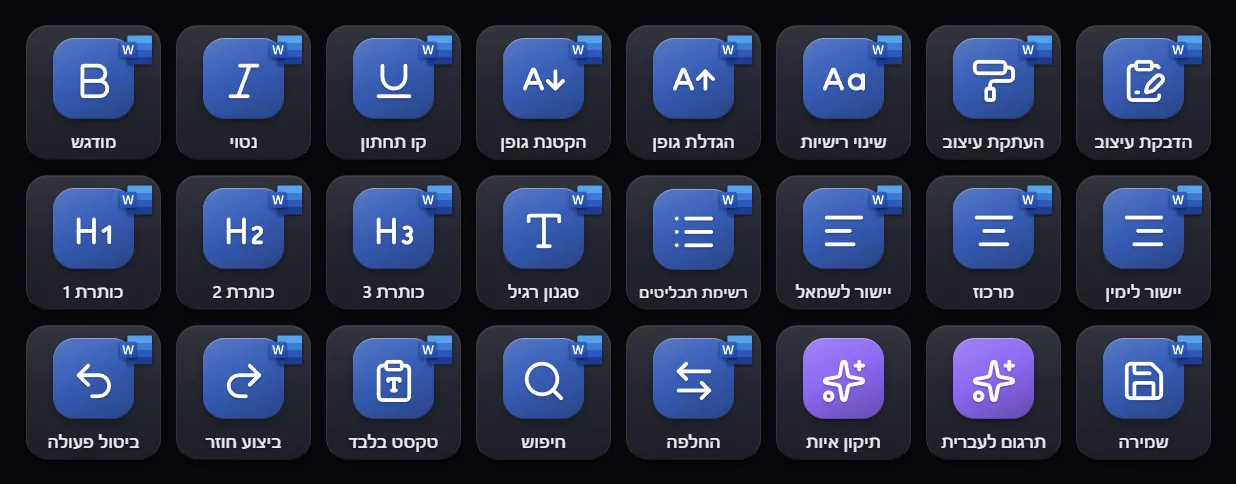
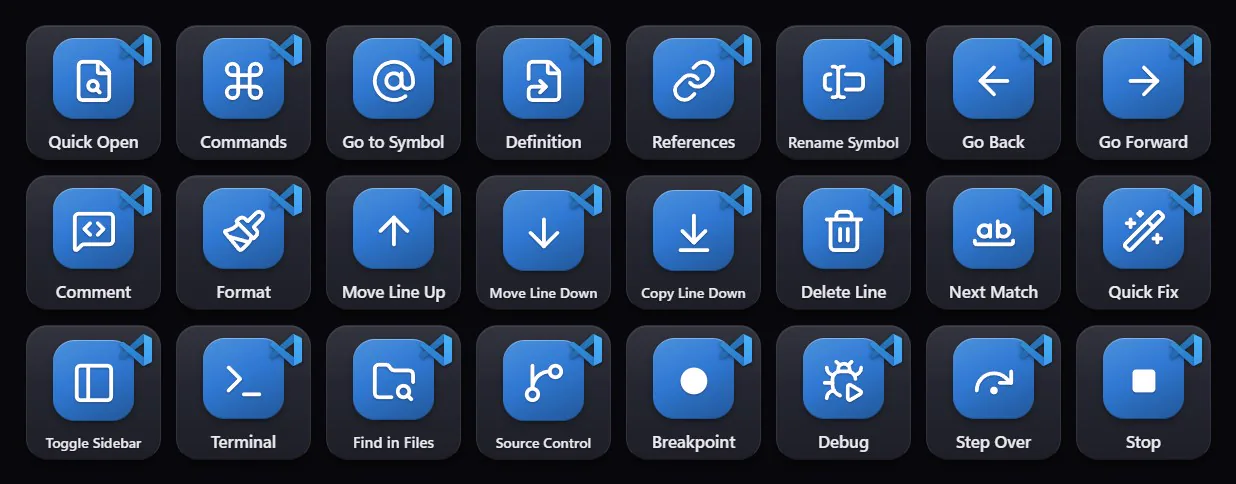
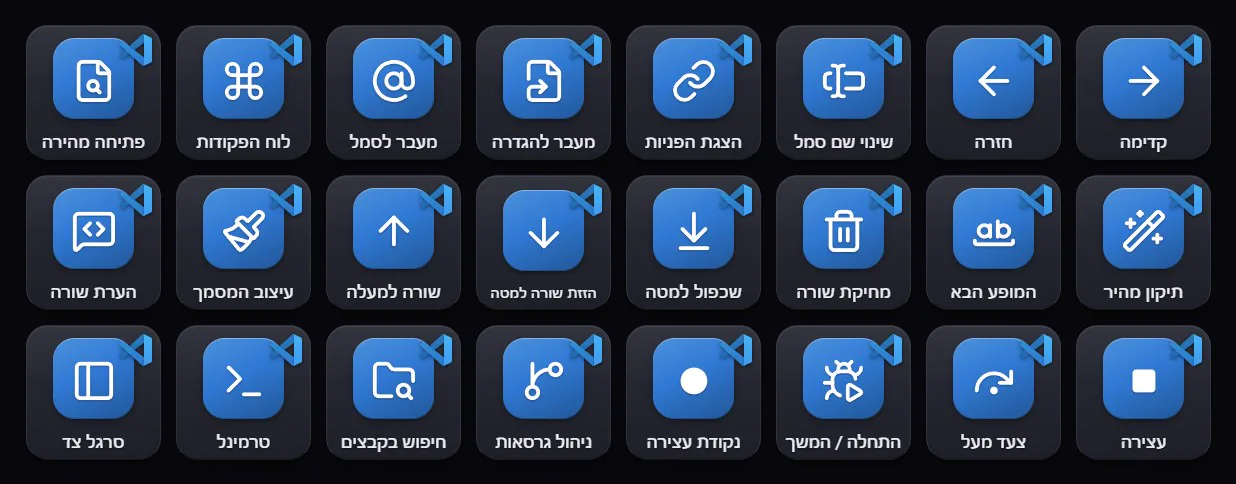
Whatever you make - it's already set up.מה שלא תעשו - זה כבר מוכן.
Recording studioאולפן הקלטות
Cubase, Ableton Live, Pro Tools, FL Studio, Fender Studio Pro (Studio One), REAPER, Audacity, Audition, rekordbox and Serato DJ - and a real two-way mixer for CubaseCubase, Ableton Live, Pro Tools, FL Studio, Fender Studio Pro (Studio One), REAPER, Audacity, Audition, rekordbox, Serato DJ - ומיקסר אמיתי דו-כיווני ל-Cubase
 CubaseALAbleton LivePTPro Tools
 FL StudioSPFender Studio Pro (Studio One)
 REAPER
 AudacityAuAudition
 rekordbox
 Serato DJ
Graphics & designגרפיקה ועיצוב
Photoshop, Canva, Illustrator, Lightroom - brushes, layers and zoom on keys and knobsPhotoshop, Canva, Illustrator, Lightroom - מברשות, שכבות וזום על מקשים וכפתורים
 GIMP
 Blender
 AutoCAD
 SketchUp
Videoוידאו
Premiere Pro, DaVinci Resolve, After Effects - cut, trim and scrub the timelinePremiere Pro, DaVinci Resolve, After Effects - חיתוך, קיצוץ וגלילה על ציר הזמן
 DaVinci ResolveAEAfter Effects
 Filmora
 VEGAS ProCClipchamp
 VLC
Streaming & gamingשידור וגיימינג
OBS, Discord, WhatsApp, Spotify, Steam - LIVE and REC lights, mic mute, scenes, chats and clipsOBS, Discord, WhatsApp, Spotify, Steam - נורות LIVE ו-REC, השתקת מיקרופון, סצנות, צ'אטים וקליפים
 OBS Studio
 Discord
 Spotify
 WhatsApp
 Steam
 NVIDIA App
 Zoom WorkplaceTTeams
 Google Meet
 YouTubeSlSlack
 TelegramGbXbox Game Bar
Office & workמשרד ועבודה
Word, Excel, PowerPoint, Outlook, Acrobat - formatting, slides and mail in one touchWord, Excel, PowerPoint, Outlook, Acrobat - עיצוב, שקפים ומייל בנגיעה אחת
 NotionOnOneNote
 Google Docs
 Google Sheets
Codeקוד
VS Code, Visual Studio, PyCharm, IntelliJ - run, debug and step without hunting for F-keysVS Code, Visual Studio, PyCharm, IntelliJ - הרצה, דיבוג וצעדים בלי לחפש מקשי F
 PyCharm
 IntelliJ IDEA
It doesn't just send keys.
It knows what's happening.הוא לא רק שולח מקשים.
הוא יודע מה קורה.
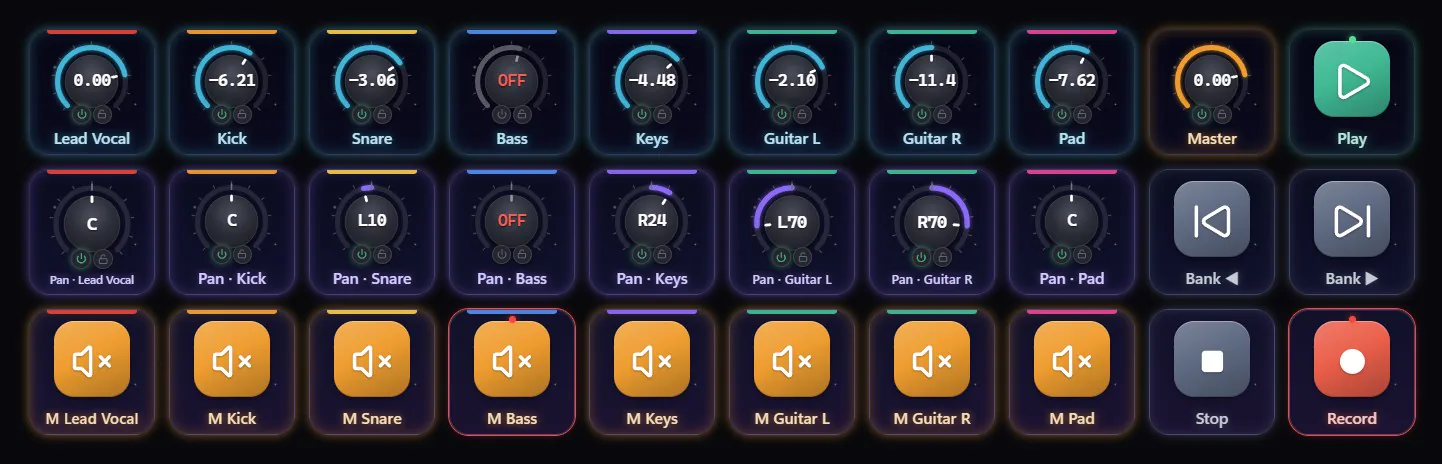
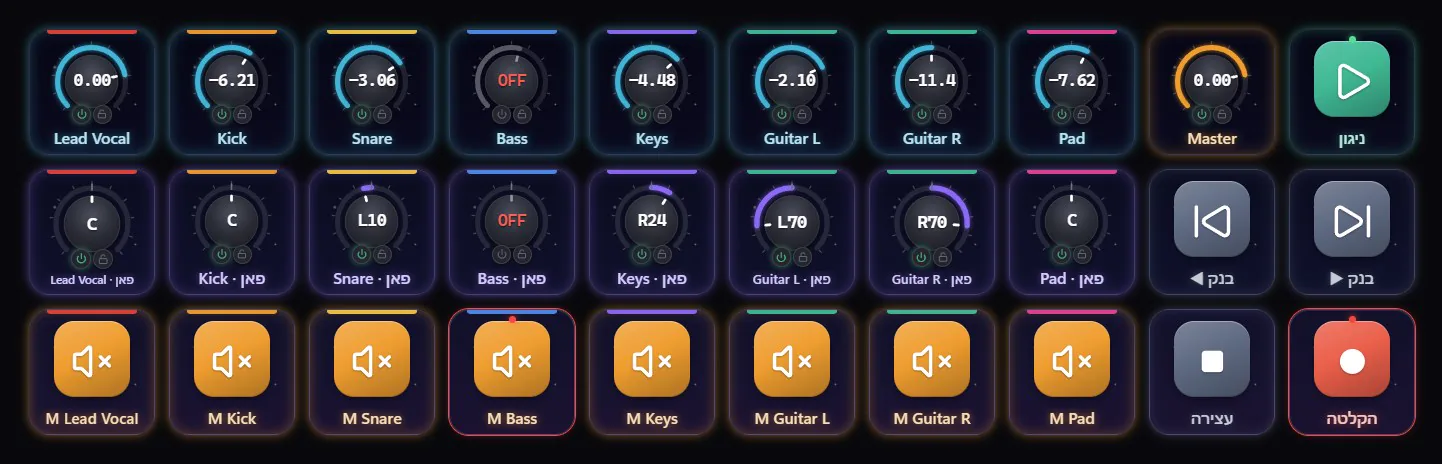
Most key decks are one-way: you press, and hope. Elements Deck listens back. Move a fader in Cubase and the knob on your deck moves with it. Turn the knob and the fader follows - with the exact number Cubase shows.רוב לוחות המקשים עובדים בכיוון אחד: לוחצים ומקווים. Elements Deck מקשיב בחזרה. מזיזים פיידר ב-Cubase - והכפתור בדק זז איתו. מסובבים את הכפתור - והפיידר זז, עם אותו מספר בדיוק ש-Cubase מציג.
Animated demo of how it behaves.הדגמה מונפשת של איך זה מתנהג.
Faders & pan, exactפיידרים ופאן, מדויק
dB and pan exactly as Cubase writes them - -1.59, R24, -∞. Ctrl+click back to 0 dB or centre, just like in Cubase.dB ופאן בדיוק כמו ש-Cubase כותב - -1.59, R24, -∞. Ctrl+קליק חוזר ל-0 dB או למרכז, בדיוק כמו ב-Cubase.
ON AIR & takesON AIR וטייקים
A key turns red the moment Cubase records. Every take is counted with its song position - star the good ones as you go.מקש שנהיה אדום ברגע ש-Cubase מקליט. כל טייק נספר עם המיקום שלו בשיר - מסמנים כוכב לטובים תוך כדי.
Names & coloursשמות וצבעים
Track names in any language - Hebrew included - and each track's colour, straight from your project.שמות ערוצים בכל שפה - כולל עברית - והצבע של כל ערוץ, ישר מהפרויקט שלך.
The selected trackהערוץ הנבחר
Select a track in Cubase and its volume, pan, sends, mute, solo and record arm are on your deck.בוחרים ערוץ ב-Cubase - והעוצמה, הפאן, השליחות, ההשתקה, הסולו וההקלטה שלו כבר בדק.
OBS, liveOBS, חי
LIVE and REC lights, scenes and mute on your keys - connected by reading OBS's own settings, no typing.אורות LIVE ו-REC, סצנות והשתקה על המקשים - מתחבר לבד מתוך ההגדרות של OBS, בלי להקליד כלום.
Your PC, this secondהמחשב שלך, בשנייה זו
Windows volume pushed to the deck in about 8 ms. CPU, memory, clock, timers - drawn only when they change.עוצמת השמע של Windows מגיעה לדק בתוך כ-8 מילישניות. מעבד, זיכרון, שעון, טיימרים - מתעדכנים רק כשמשהו משתנה.
The idea is in your head for a few seconds.
Don't spend them looking for a shortcut.
הרעיון נמצא בראש לכמה שניות.
אל תבזבזו אותן על חיפוש קיצור.
Every control you need, lit and labelled, one touch away. You stay in the music, the edit, the stream - in the moment.כל שליטה שצריך - מוארת, עם שם ברור, במרחק נגיעה. אתם נשארים במוזיקה, בעריכה, בשידור - ברגע.
A real Cubase mixer.
On the screen you already own.מיקסר Cubase אמיתי.
על המסך שכבר יש לך.
- 8 faders + master, pan, mute, solo, banks - all following Cubase8 פיידרים + מאסטר, פאן, השתקה, סולו, בנקים - הכל עוקב אחרי Cubase
- 105 Cubase commands by name, plus automation Read / Write on every channel - add tracks, markers, open the instrument, export - they work even when Cubase is in the background105 פקודות Cubase לפי שם, ועוד קריאה / כתיבה של אוטומציה בכל ערוץ - הוספת ערוצים, סמנים, פתיחת כלי, ייצוא - עובדות גם כש-Cubase ברקע
- Empty channels fade out, a closed Cubase clears the deck - it always shows the truthערוצים ריקים נכבים, Cubase סגור מנקה את הדק - הוא תמיד מראה את האמת
- Set up in one click: the app installs its Cubase script and offers the free MIDI cable for youהגדרה בלחיצה אחת: התוכנה מתקינה לבד את הסקריפט ל-Cubase ומציעה להתקין את כבל ה-MIDI החינמי
Cubase 12 or later. Pro Tools, REAPER, Fender Studio Pro (Studio One), Ableton Live, FL Studio, Audacity, Audition, rekordbox and Serato DJ get verified shortcut keys.Cubase 12 ומעלה. Pro Tools, REAPER, Fender Studio Pro (Studio One), Ableton Live, FL Studio, Audacity, Audition, rekordbox ו-Serato DJ מקבלות מקשי קיצור מאומתים.
56 apps. Laid out like a pro would.56 תוכנות. מסודרות כמו שמקצוען היה מסדר.
Every key comes from the maker's own documentation, with the source written next to it. Keys are grouped by the kind of work, each group under its own colored title, in the order you do it.כל מקש לקוח מהתיעוד של היצרן עצמו, והמקור כתוב לידו. המקשים מקובצים לפי סוג העבודה, כל קבוצה תחת כותרת בצבע משלה, בסדר שבו עובדים.
- 1Editing - undo, cut, copy, split, quantize, mute and soloעריכה - ביטול, גזירה, העתקה, פיצול, קוונטיזציה, השתקה וסולו
- 2Tools - in the same order as Cubase's toolbarכלים - באותו סדר כמו בסרגל הכלים של Cubase
- 3Zoom keys and knobs - turn to zoom, to scroll, to jump between eventsמקשי זום וחוגות - מסובבים לזום, לגלילה ולמעבר בין אירועים
Keys run Cubase's own commands by name, through the Cubase connection - whatever keys you set, Cubase can stay in the background.המקשים מפעילים את הפקודות של Cubase עצמה לפי שם, דרך החיבור ל-Cubase - בלי קשר לקיצורים שהגדרתם, ו-Cubase יכולה להישאר ברקע.
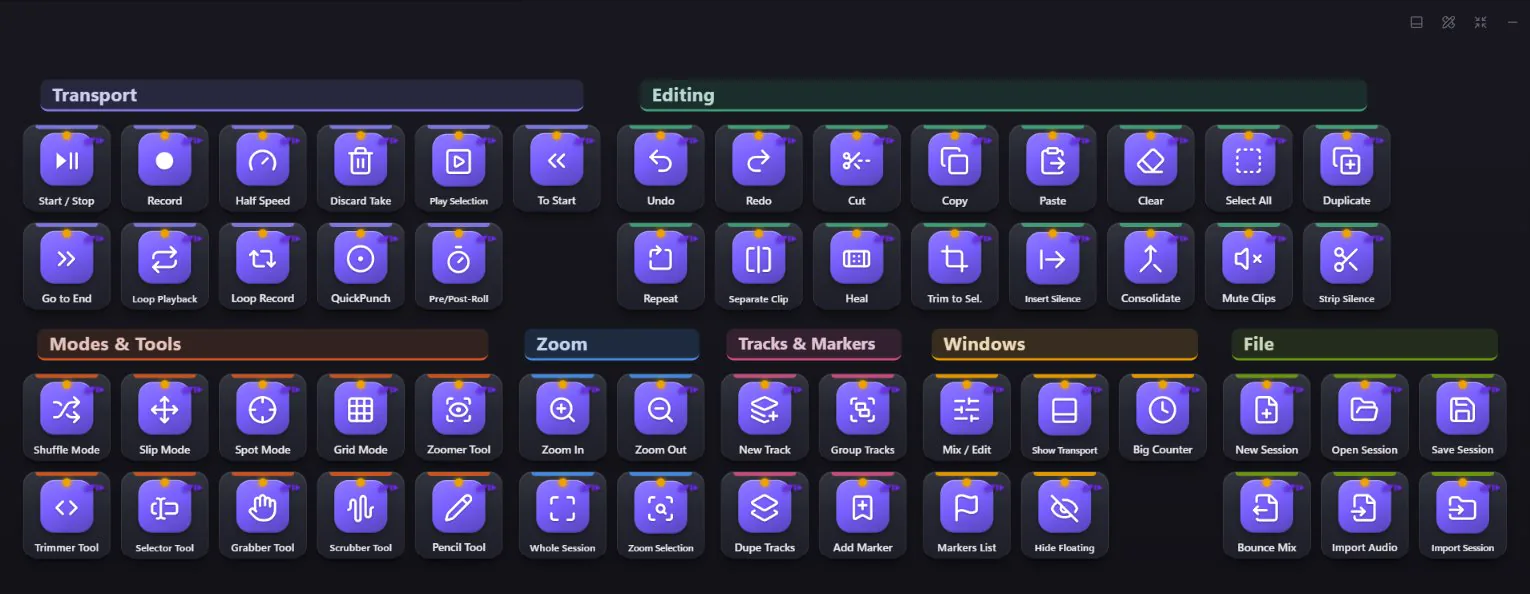
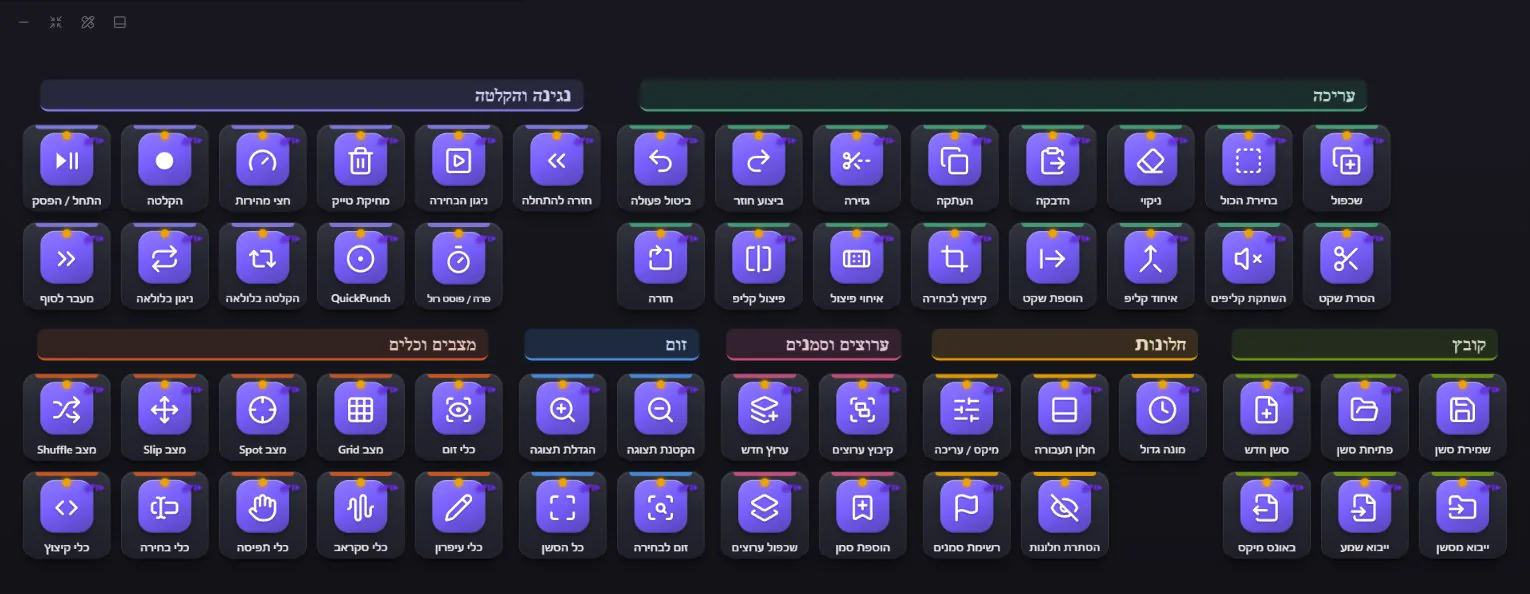
- 1Transport - QuickPunch, loop record, half speedנגינה והקלטה - QuickPunch, הקלטה בלולאה, חצי מהירות
- 2Editing and the edit modes - Shuffle, Slip, Spot, Gridעריכה ומצבי העריכה - Shuffle, Slip, Spot, Grid
- 3Tracks, markers, Mix / Edit and the session filesערוצים, סמנים, מיקס / עריכה וקבצי הסשן
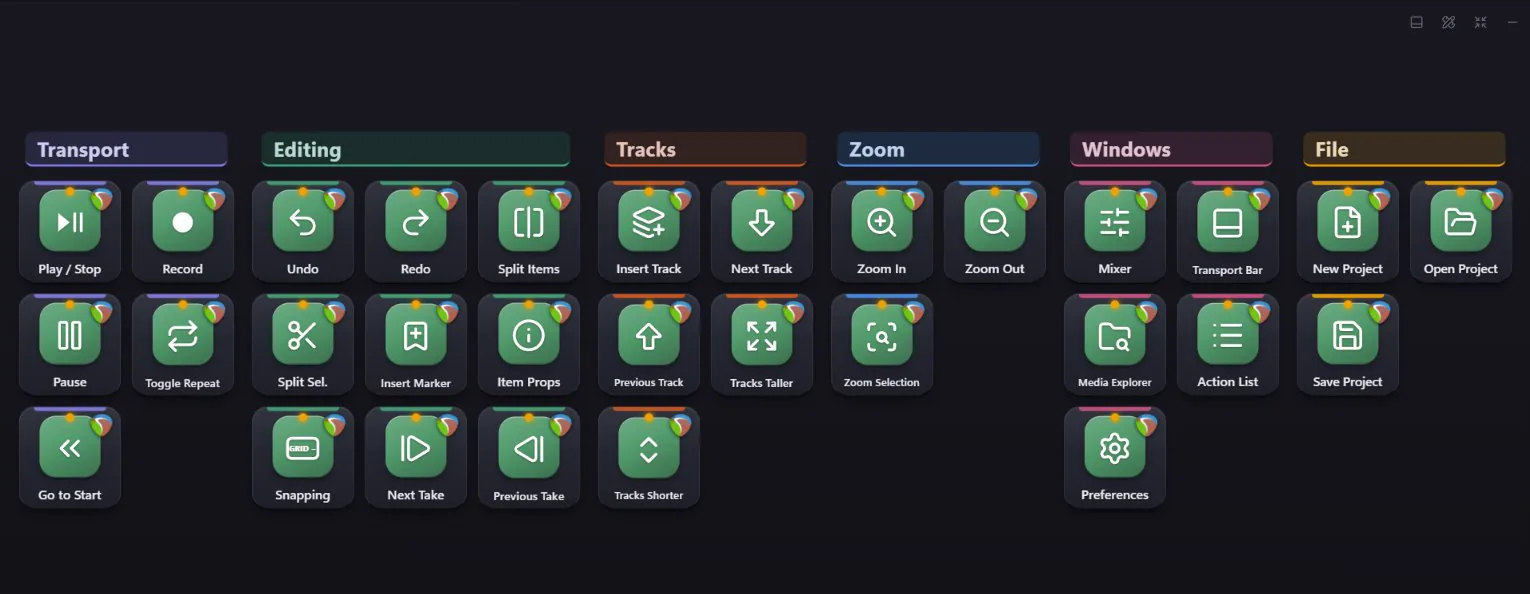
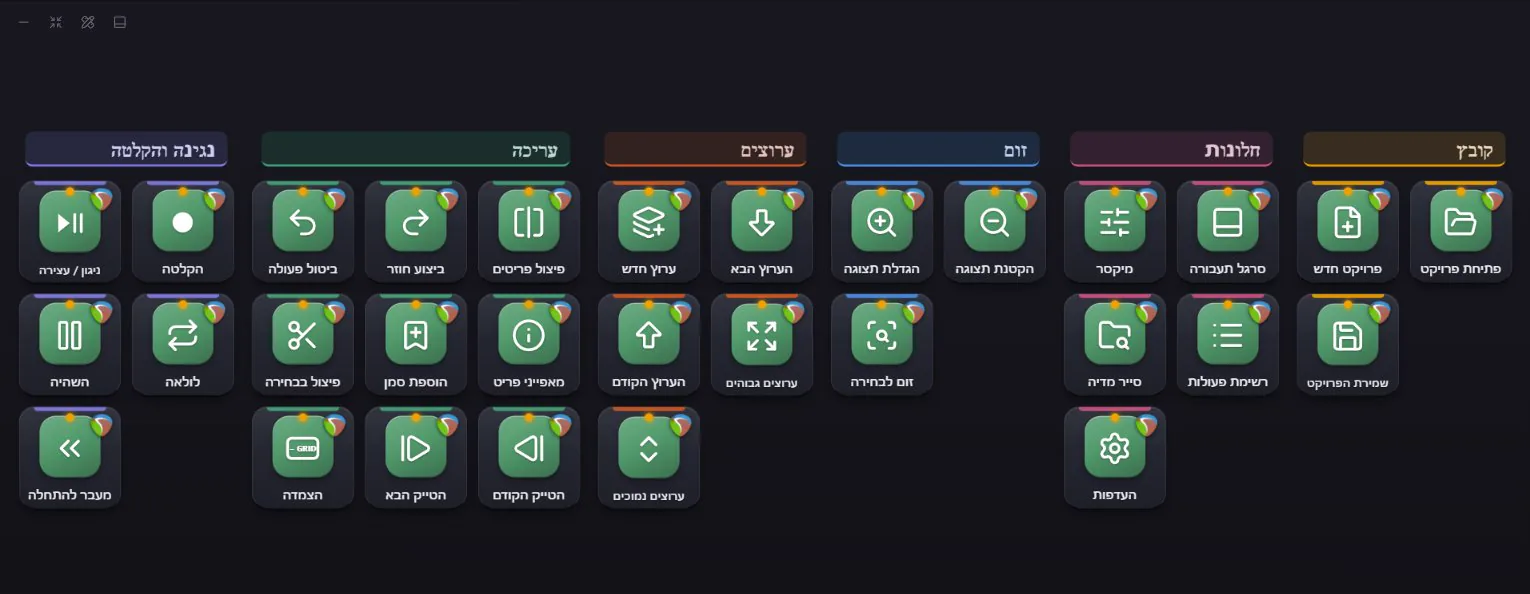
- 1Transport and editing - split, takes, snappingנגינה ועריכה - פיצול, טייקים, הצמדה
- 2Tracks and zoom - taller, shorter, next, previousערוצים וזום - גבוהים, נמוכים, הבא, הקודם
- 3The mixer, the action list, media explorer and the projectהמיקסר, רשימת הפעולות, סייר המדיה והפרויקט
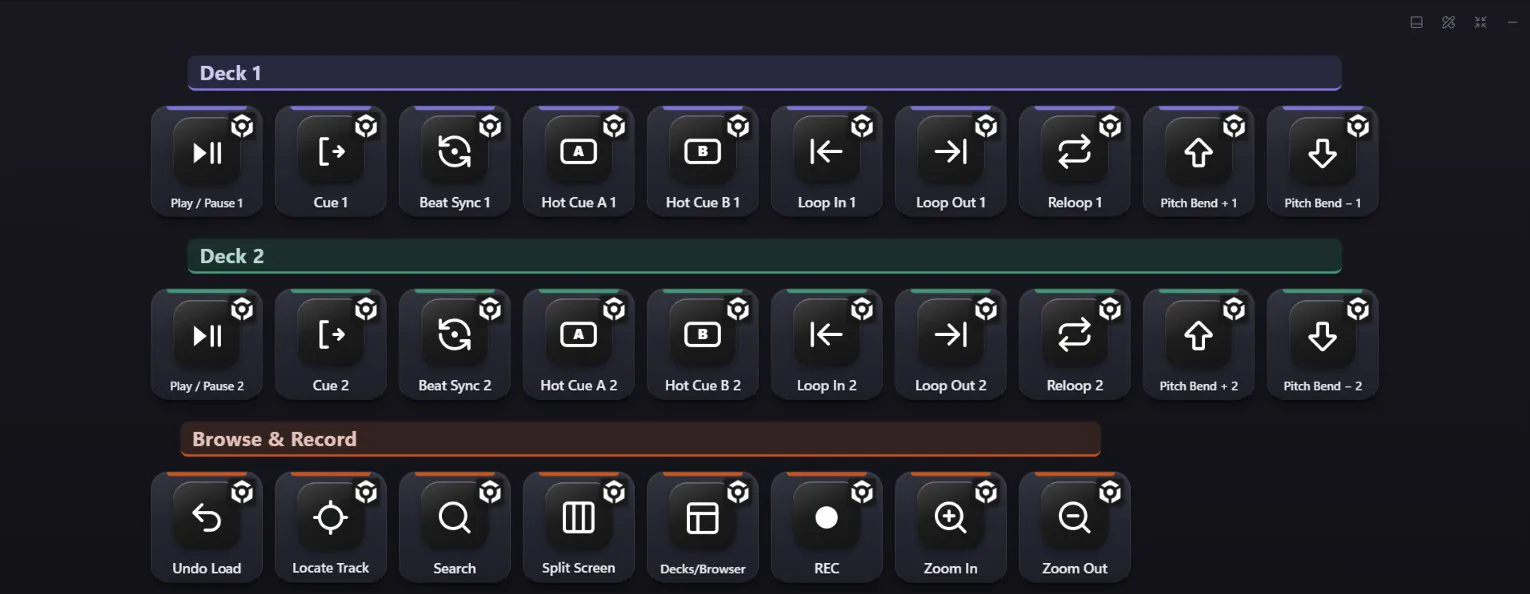
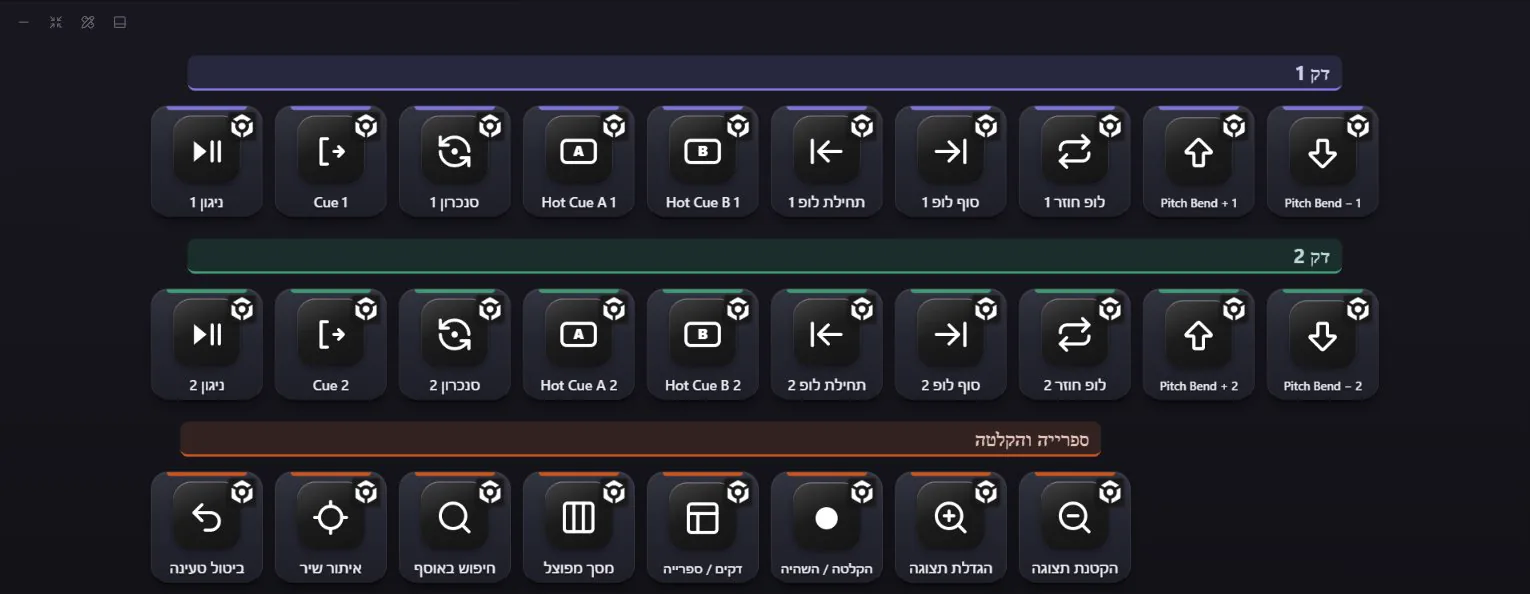
- 1Deck 1 - play, cue, sync, hot cues A and B, loop in and out, pitch bendדק 1 - ניגון, Cue, סנכרון, שתי נקודות Hot Cue, תחילה וסוף של לופ, ו-Pitch Bend
- 2Deck 2 - the same keys in the same place, so your hands know bothדק 2 - אותם מקשים באותו מקום, כך שהידיים מכירות את שניהם
- 3The library - search, locate the loaded track, split screen and record your setהספרייה - חיפוש, איתור השיר הטעון, מסך מפוצל והקלטת הסט
From rekordbox's own default keyboard shortcut reference (Performance mode). Serato DJ is in too.מתוך מדריך הקיצורים הרשמי של rekordbox, במצב Performance. גם Serato DJ בפנים.
- 1Go live, record and replay - straight in OBS, with the LIVE and REC lightsשידור, הקלטה וריפליי - ישר ב-OBS, עם אורות LIVE ו-REC
- 2Your microphone for the whole PC, and a volume knob for Discord and for Spotify on their ownהמיקרופון של כל המחשב, וחוגת ווליום נפרדת ל-Discord ול-Spotify
- 3Previous / play / next, a stream stopwatch, and AI keys that translate or fix your chatקודם / ניגון / הבא, סטופר לשידור, ומקשי AI שמתרגמים או מתקנים את הצ'אט
Sound keys play your clips and effects, and one key switches between headphones and speakers.מקשי סאונד מנגנים קטעים ואפקטים, ומקש אחד מחליף בין אוזניות לרמקולים.
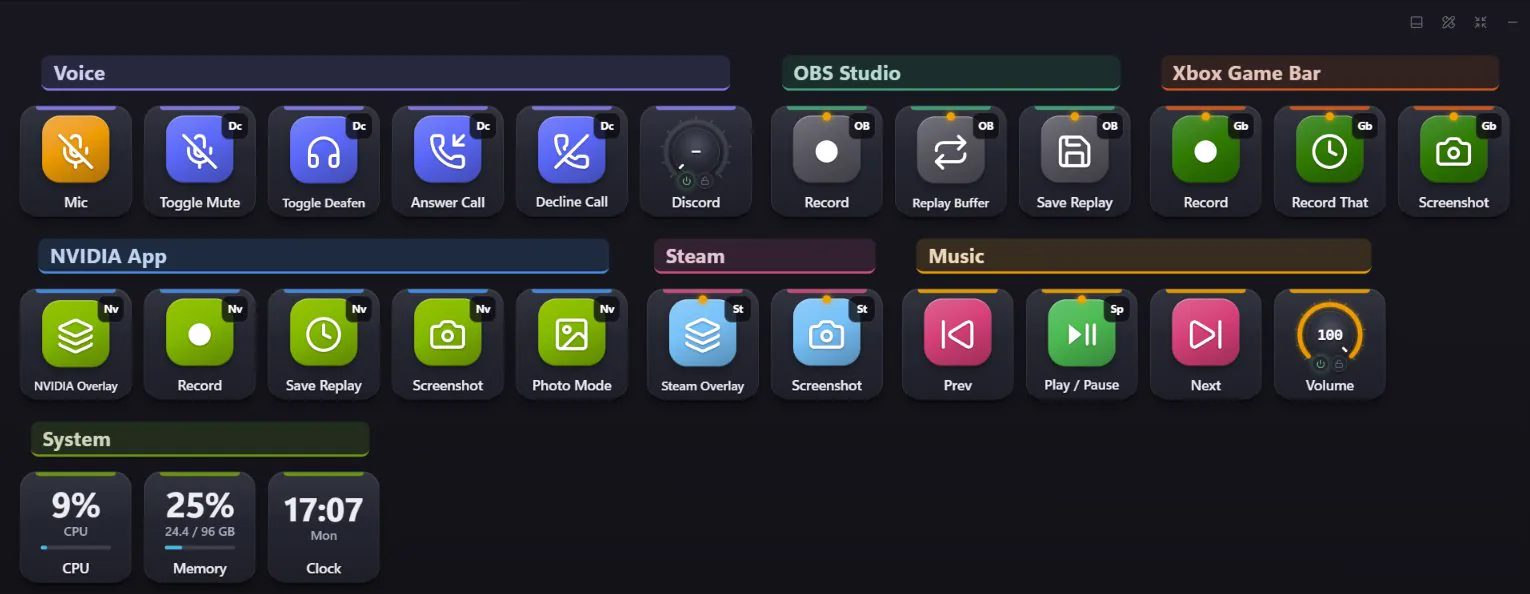
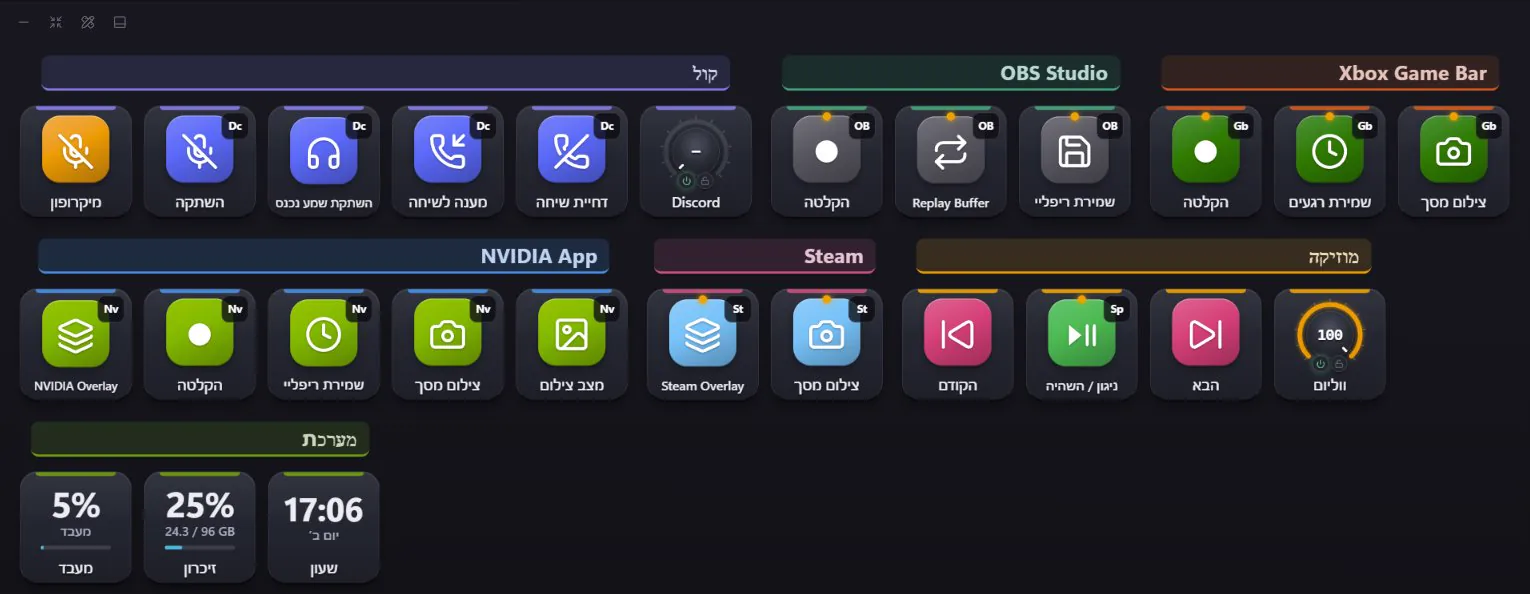
- 1Voice - your microphone, Discord mute and deafen, answer or decline, Discord volumeקול - המיקרופון, השתקה ב-Discord, מענה או דחייה, ווליום ל-Discord
- 2Capture - OBS, Game Bar, NVIDIA and Steam, each in its own group, working inside the gameצילום והקלטה - OBS, Game Bar, NVIDIA ו-Steam, כל אחד בקבוצה משלו, ועובדים בתוך המשחק
- 3Music and the PC - previous / play / next, volume, CPU, memory and the timeמוזיקה והמחשב - קודם / ניגון / הבא, ווליום, מעבד, זיכרון והשעה
- 1Tools - in the same order as the toolbarכלים - באותו סדר כמו בסרגל הכלים
- 2Layers and selectionשכבות ובחירה
- 3Color fixes, a zoom knob and Export PNGתיקוני צבע, כפתור זום וייצוא PNG
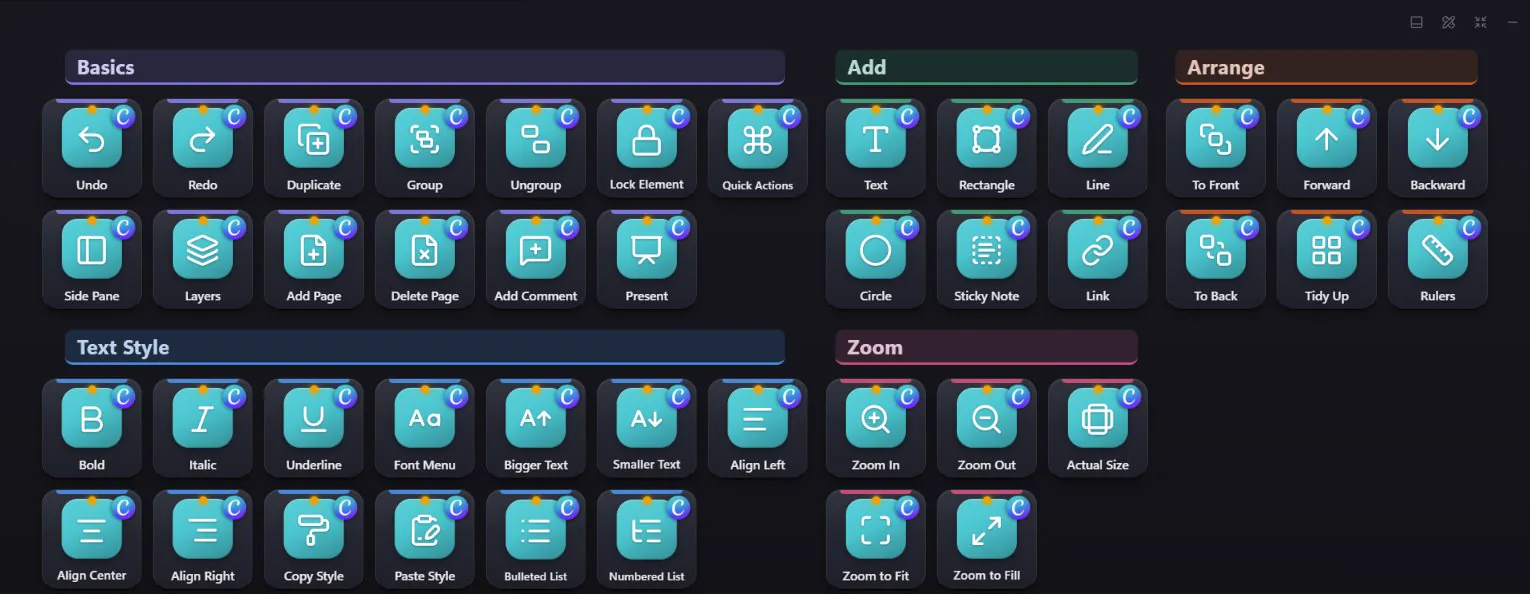
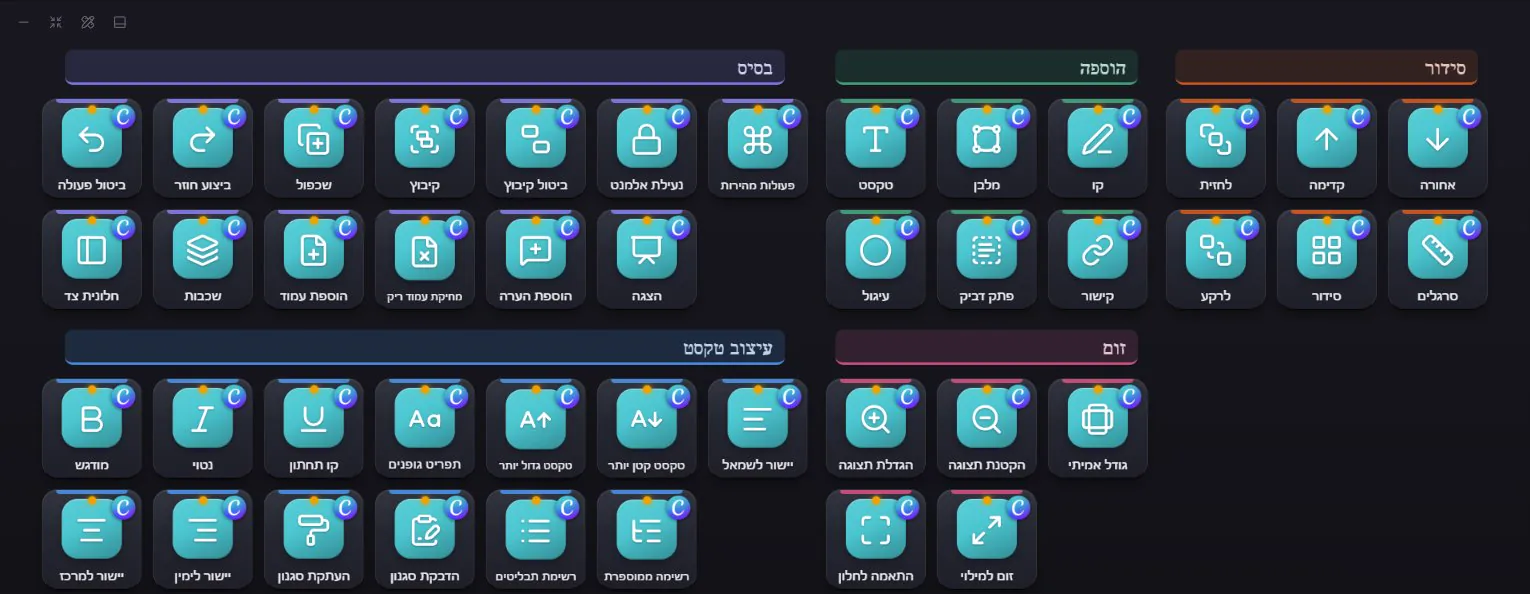
- 1Basics - undo, duplicate, group, lock, layers, pages and presentבסיס - ביטול, שכפול, קיבוץ, נעילה, שכבות, עמודים והצגה
- 2Add and arrange - text, shapes, lines, sticky notes; to front, forward, backward, to backהוספה וסידור - טקסט, צורות, קווים, פתקים; לחזית, קדימה, אחורה, לרקע
- 3Text style and zoom - fonts, sizes, alignment, copy and paste styleעיצוב טקסט וזום - גופנים, גדלים, יישור, העתקת והדבקת סגנון
- 1Playback - J, Play and L side by side, a jog knob at the endניגון - J, ניגון ו-L צמודים, וכפתור גלילה בסוף
- 2Mark in / out and cutסימון כניסה / יציאה וחיתוך
- 3Tools, transitions, timeline zoom and Export Mediaכלים, מעברים, זום ציר זמן וייצוא מדיה
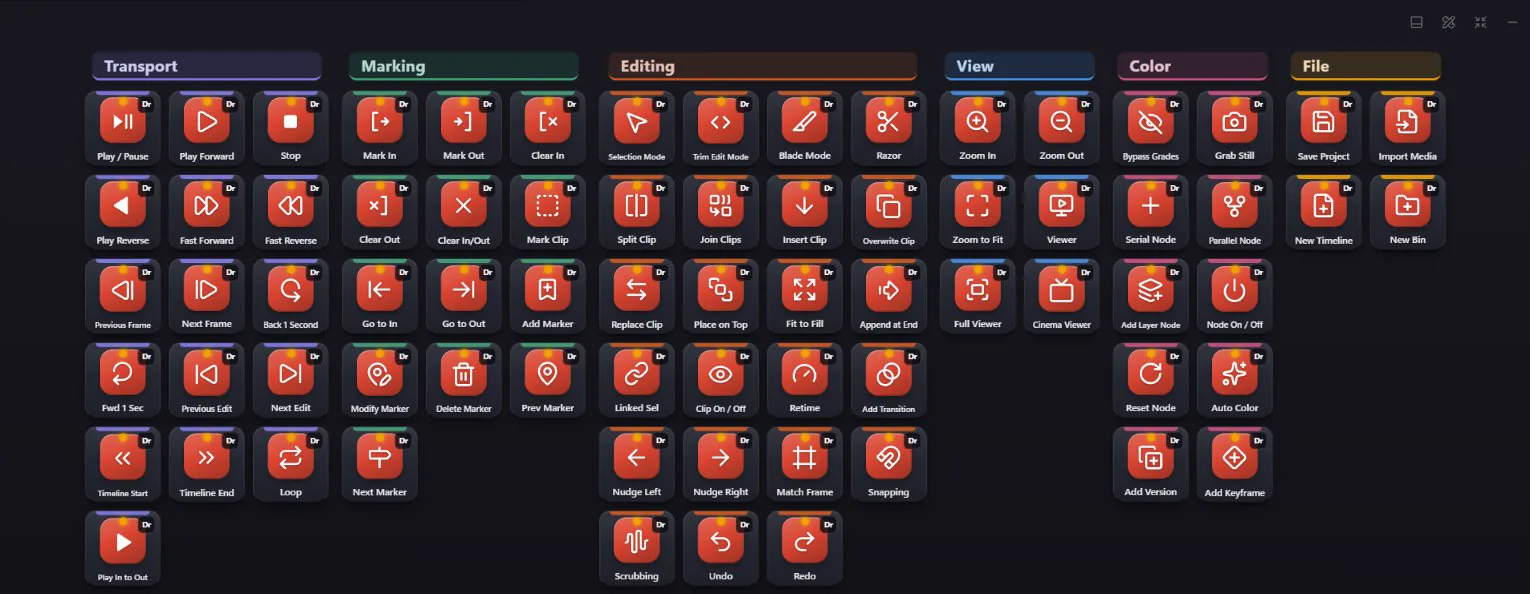
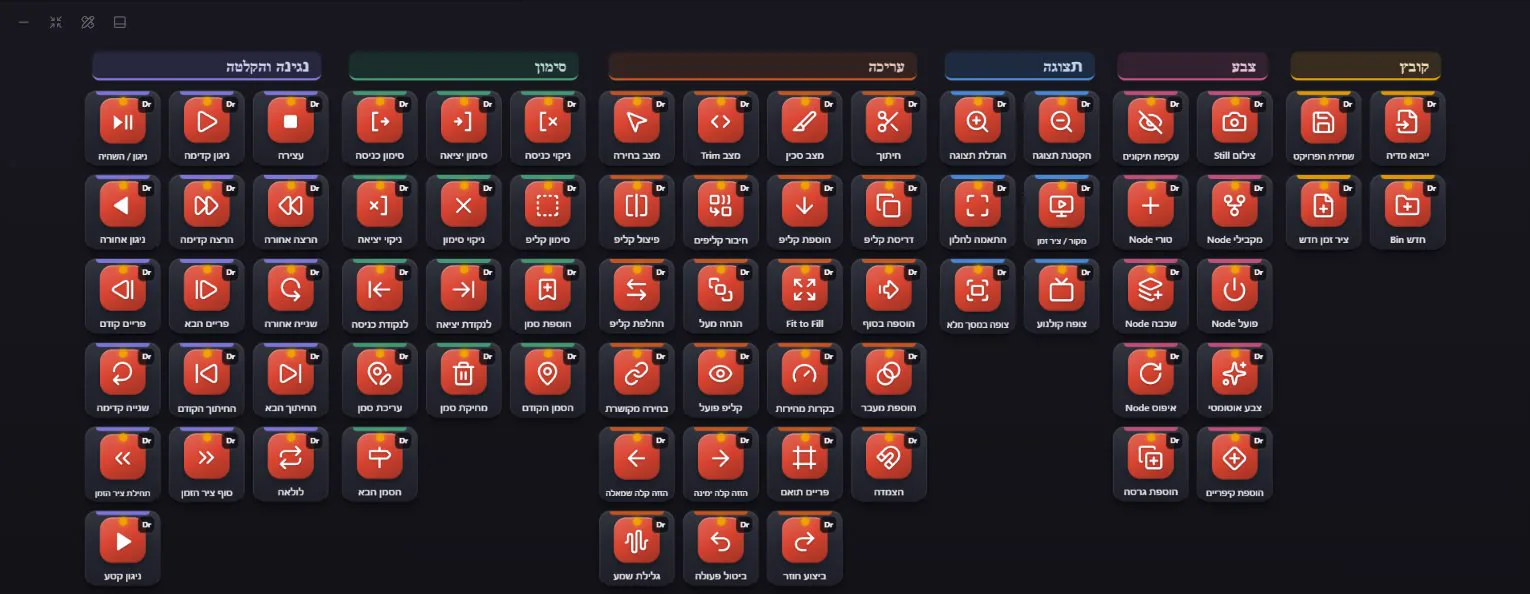
- 1Playback and marking - J K L, in and out, markersניגון וסימון - J K L, נקודות כניסה ויציאה, סמנים
- 2Editing - blade, trim, insert, overwrite, retimeעריכה - חיתוך, Trim, הוספה, דריסה, שינוי מהירות
- 3Color - nodes, still, auto color, bypass gradesצבע - Nodes, צילום Still, צבע אוטומטי, עקיפת תיקונים
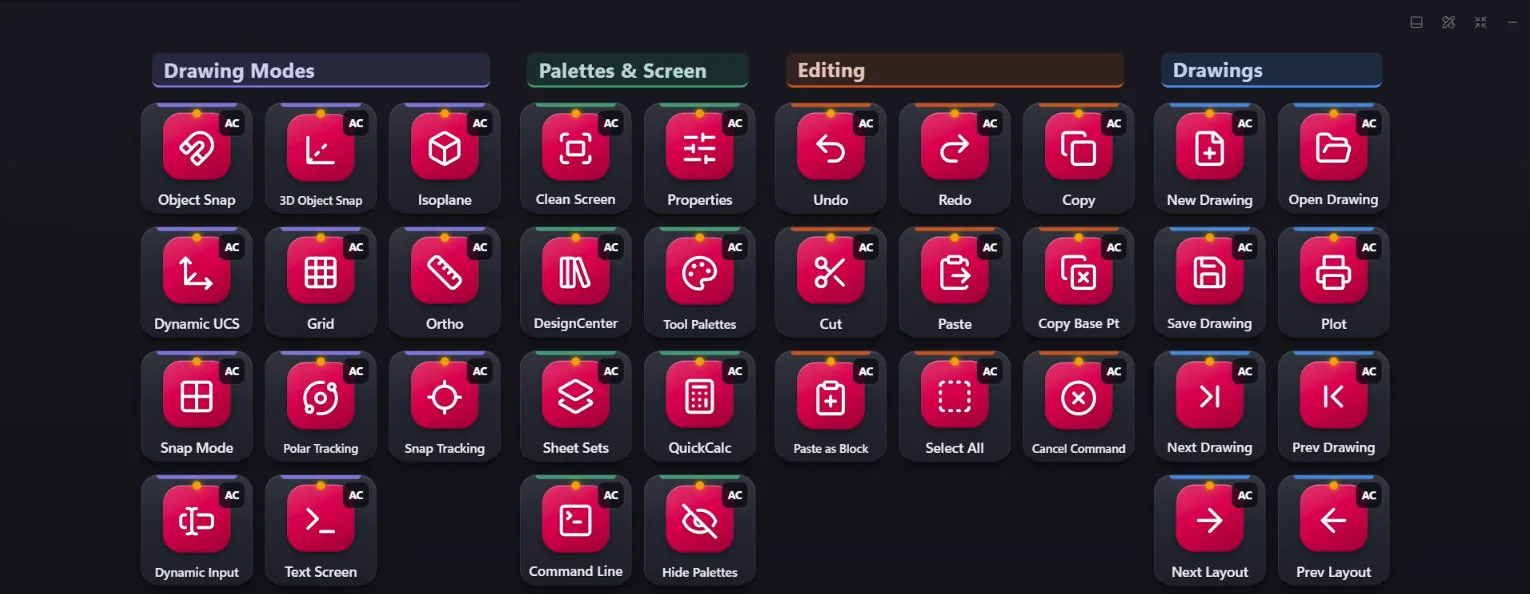
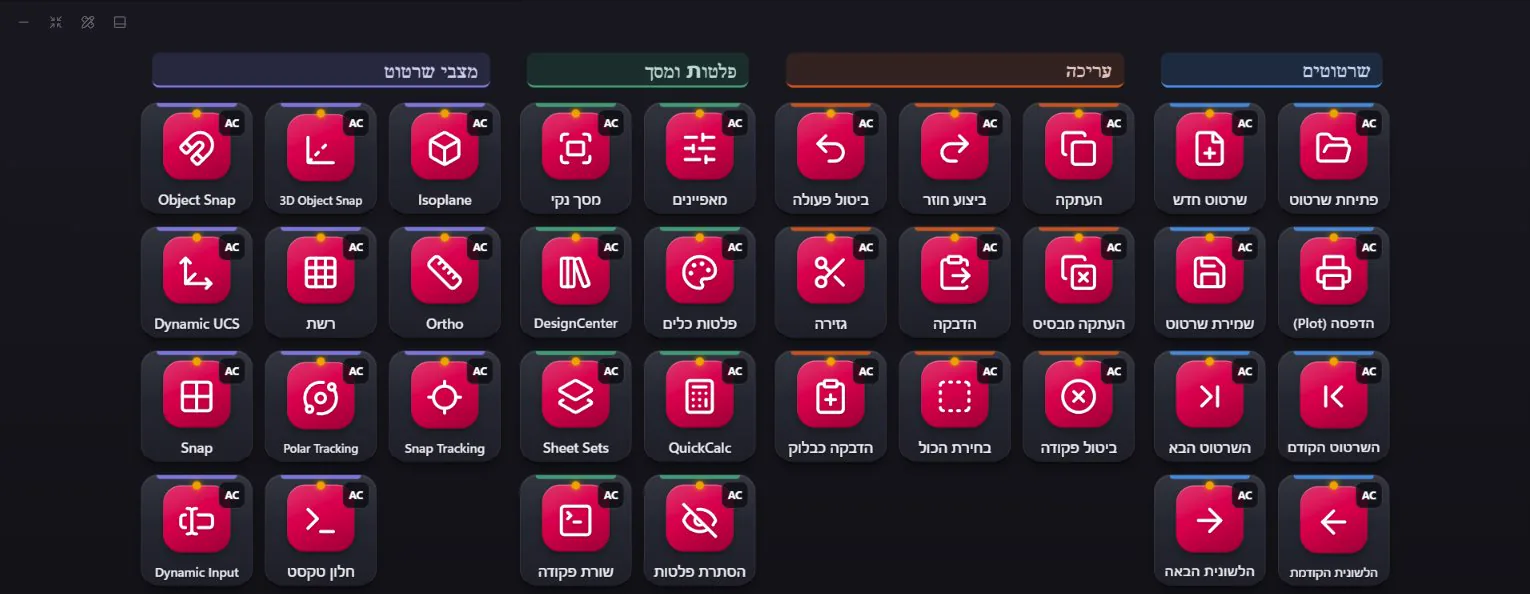
- 1Drawing modes - object snap, grid, ortho, polar and dynamic input, one press eachמצבי שרטוט - Object Snap, רשת, Ortho, Polar ו-Dynamic Input, לחיצה אחת לכל אחד
- 2Palettes and screen - properties, tool palettes, QuickCalc, the command line, a clean screenפלטות ומסך - מאפיינים, פלטות כלים, QuickCalc, שורת הפקודה, מסך נקי
- 3Editing and drawings - copy with a base point, paste as block, plot, next and previous drawingעריכה ושרטוטים - העתקה מנקודת בסיס, הדבקה כבלוק, הדפסה, השרטוט הבא והקודם
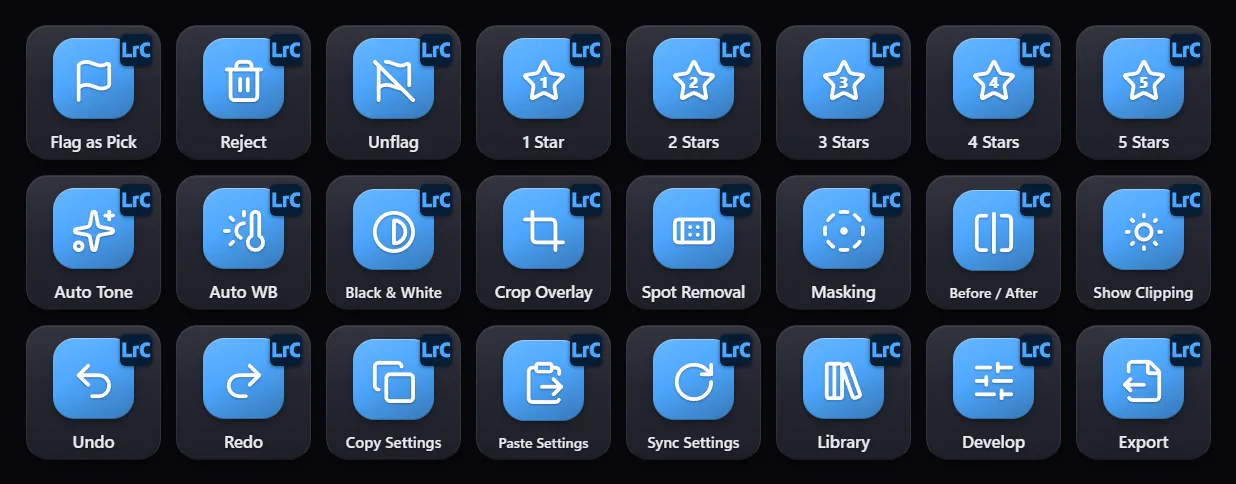
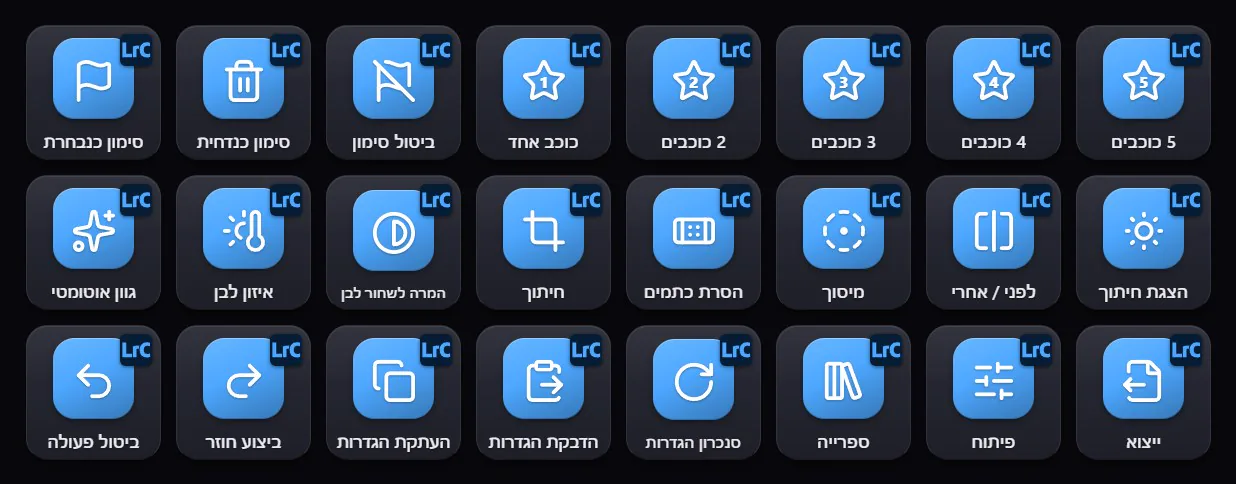
- 1Culling - pick, reject, then 1 to 5 starsמיון - בחירה, דחייה, ואז 1 עד 5 כוכבים
- 2Develop - auto tone, white balance, crop, maskingפיתוח - גוון אוטומטי, איזון לבן, חיתוך, מיסוך
- 3Copy, paste and sync settings, then Exportהעתקה, הדבקה וסנכרון הגדרות, ואז ייצוא
- 1Text style - bold to paste formattingעיצוב טקסט - מהדגשה ועד הדבקת עיצוב
- 2Structure - H1, H2, H3, lists and alignmentמבנה - H1, H2, H3, רשימות ויישור
- 3Editing, two AI keys (fix spelling, translate) and Saveעריכה, שני מקשי AI (תיקון איות, תרגום) ושמירה
- 1Find your way - quick open, commands, definitions, back / forwardניווט - פתיחה מהירה, פקודות, הגדרות, אחורה / קדימה
- 2Edit lines - comment, format, move, duplicateעריכת שורות - הערה, עיצוב, הזזה, שכפול
- 3Panels, then the debugger in the order you use itחלוניות, ואחריהן הדיבאגר בסדר שבו משתמשים בו
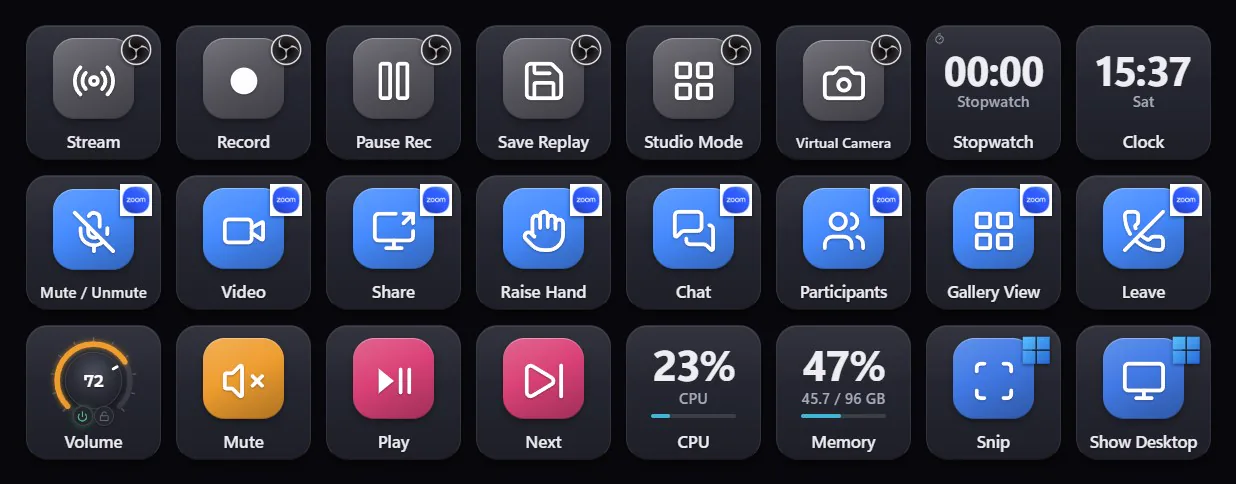
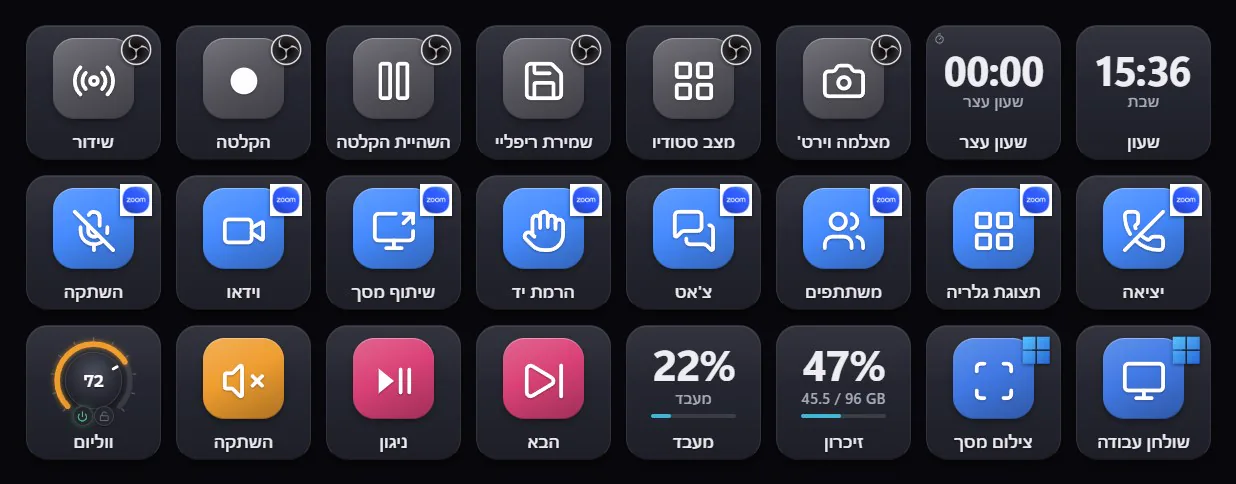
- 1OBS, connected live - the LIVE and REC lights come from OBS itselfOBS, מחובר בזמן אמת - אורות LIVE ו-REC מגיעים מ-OBS עצמו
- 2Zoom - mute, video, share, hand, chat, leaveZoom - השתקה, וידאו, שיתוף, יד, צ'אט, יציאה
- 3Your PC - a volume knob, media keys, live CPU and memoryהמחשב שלך - כפתור ווליום, מקשי מדיה, מעבד וזיכרון חיים
One page can mix apps - each key goes to its own app.עמוד אחד יכול לשלב כמה תוכנות - כל מקש הולך לתוכנה שלו.
Does it work with your app?זה עובד עם התוכנה שלך?
Or click any app in the list below.או לחצו על תוכנה ברשימה למטה.
All 56 appsכל 56 התוכנות
Audio & Musicשמע ומוזיקה 10
- Cubase
- PTPro Tools
- REAPER
- SPFender Studio Pro (Studio One)
- LiAbleton Live
- FL Studio
- Audacity
- AuAudition
- rekordbox
- Serato DJ
Videoוידאו 7
- PrPremiere Pro
- AeAfter Effects
- DaVinci Resolve
- Filmora
- VEGAS Pro
- CcClipchamp
- VLC
Graphicsגרפיקה 5
- PsPhotoshop
- AiIllustrator
- LrLightroom Classic
- CaCanva
- GIMP
3D & CADתלת-ממד ושרטוט 3
- Blender
- AutoCAD
- SketchUp
Streaming, Calls & Chatשידור, שיחות וצ׳אט 10
- OBS Studio
- Discord
- Zoom Workplace
- TTeams
- Google Meet
- Spotify
- YouTube
- SlSlack
- Telegram
- WhatsApp
Gaming & Captureגיימינג והקלטה 3
- GbXbox Game Bar
- NVIDIA App
- Steam
Productivityעבודה משרדית 9
- WWord
- XExcel
- PPowerPoint
- OOutlook
- OnOneNote
- Google Docs
- Google Sheets
- AcAcrobat
- Notion
Developersמפתחים 4
- VSVisual Studio Code
- VSVisual Studio
- IntelliJ IDEA
- PyCharm
Browsersדפדפנים 3
 Google Chrome
- EMicrosoft Edge
 Firefox
WindowsWindows 2
- WiWindows
- PTPowerToys
One page. It fits whatever screen you give it.עמוד אחד. מתאים את עצמו לכל מסך שתיתנו לו.
The deck lays itself out like a phone app: the same page, the same groups, re-arranged for the shape of the screen - and never smaller than a key you can hit.הדק מסדר את עצמו כמו אפליקציה בטלפון: אותו עמוד, אותן קבוצות, מסודרים מחדש לפי צורת המסך - ואף פעם לא קטנים יותר ממקש שנוח ללחוץ עליו.


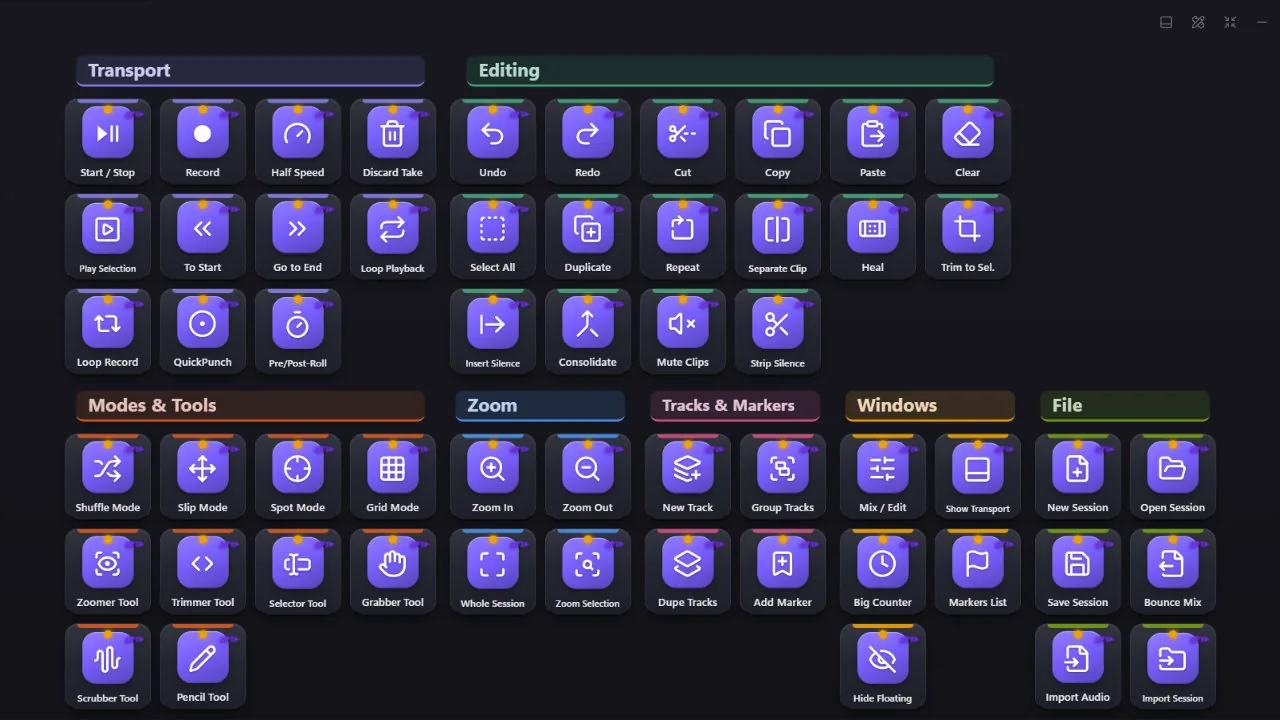
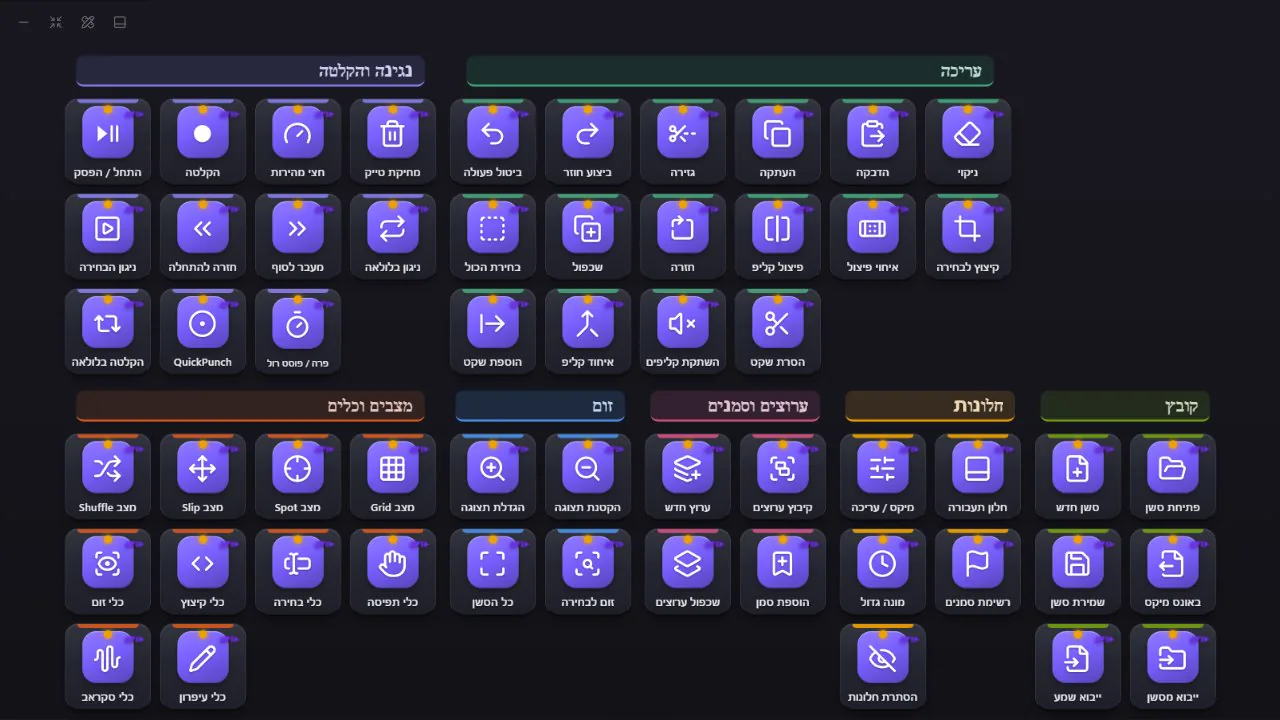
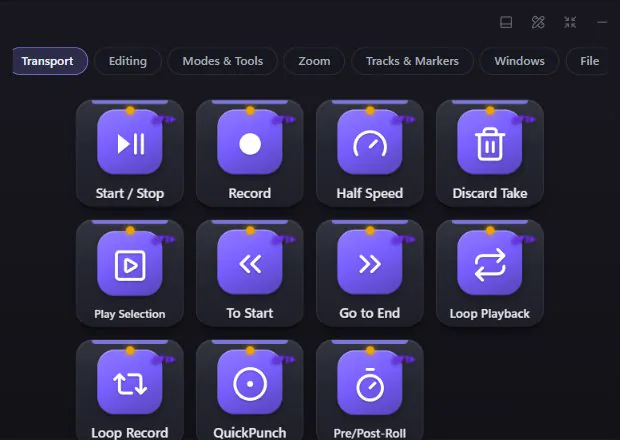
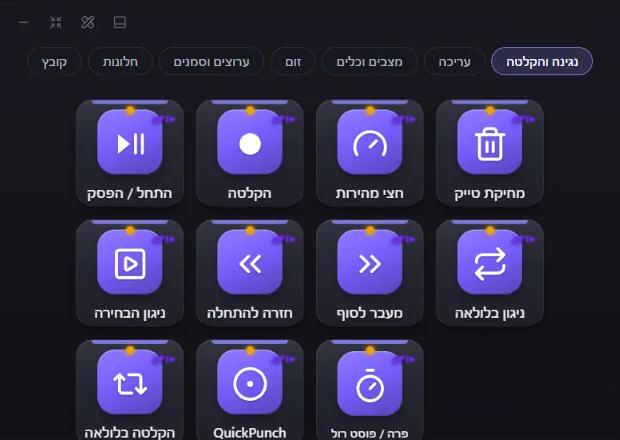
- 32columns on one pageעמודות בעמוד אחד
- 56pxthe smallest a key getsהגודל הכי קטן של מקש
- ∞pages, as many as you likeעמודים, כמה שרוצים
Every key. Every color.
Your style.כל מקש. כל צבע.
הסגנון שלך.
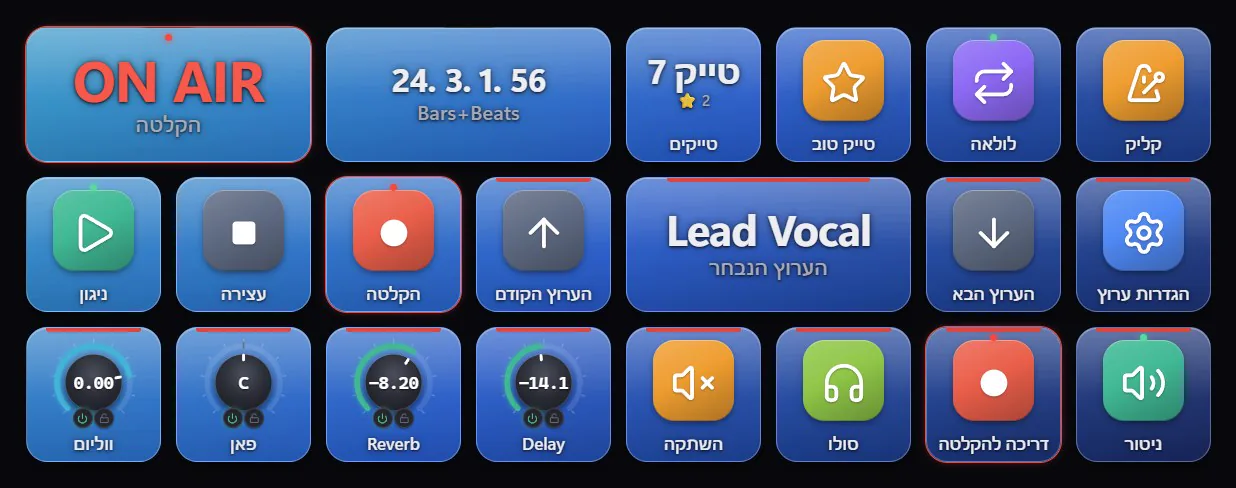
The same page, eight ready-made looks - and that's only the start. Click a design and see it change.אותו עמוד, שמונה מראות מוכנים - וזו רק ההתחלה. לחצו על עיצוב ותראו אותו מתחלף.
8 ready designs8 עיצובים מוכנים
A background, a key style and a key color that go together - one click for a whole page, or for every page of a profile.רקע, סגנון מקשים וצבע מקשים שמתאימים זה לזה - לחיצה אחת לעמוד שלם, או לכל העמודים של פרופיל.
5 key styles5 סגנונות מקשים
Classic, glass, flat, neon - every key glowing in its own color - and 3D.קלאסי, זכוכית, שטוח, ניאון - כל מקש זוהר בצבע שלו - ותלת-ממד.
Your own pictureתמונה משלכם
One photo across the whole page - every key shows its own part of it, never stretched, with a darkness slider to keep labels readable.תמונה אחת על כל העמוד - כל מקש מציג את החלק שלו, בלי מתיחה, עם מחוון הכהיה שמשאיר את השמות קריאים.
Any color, any iconכל צבע, כל אייקון
523 built-in symbols (searchable in Hebrew too), the real icon of every app on your PC, or your own images.523 סמלים מובנים (עם חיפוש גם בעברית), האייקון האמיתי של כל תוכנה במחשב, או תמונות משלכם.
Restyle many at onceמעצבים הרבה בבת אחת
Select ten keys and change them together, or copy one key's look onto others - what they do stays the same.בוחרים עשרה מקשים ומשנים אותם יחד, או מעתיקים מראה של מקש אחד לאחרים - מה שהם עושים נשאר אותו דבר.
Day, night and OLEDיום, לילה ו-OLED
Five themes for the app itself and eight accent colors. Pages up to 32 columns wide.חמש ערכות נושא לתוכנה עצמה ושמונה צבעי הדגשה. עמודים ברוחב של עד 32 עמודות.
One key can be anything.מקש אחד יכול להיות כל דבר.
Built to just work.בנוי פשוט לעבוד.
Never steals focusלא גונב את המיקוד
Press a key and it lands in the app you're working in. The deck docks to a screen edge and stays out of the way.לוחצים על מקש והוא מגיע לתוכנה שעובדים בה. הדק נצמד לקצה המסך ולא מפריע.
Every key works - or says whyכל מקש עובד - או אומר למה לא
"Check my deck" finds keys that can't work right now and fixes them with one button."בדוק את הדק" מוצא מקשים שלא יכולים לעבוד עכשיו ומתקן אותם בכפתור אחד.
AI keysמקשי AI
Select text anywhere - translate, fix, rewrite with Claude in one press. Or describe a page in words and get it built. Uses your own Anthropic key.מסמנים טקסט בכל מקום - מתרגמים, מתקנים, משכתבים עם Claude בלחיצה. או מתארים עמוד במילים ומקבלים אותו בנוי. עם מפתח Anthropic משלכם.
Sequences & macrosרצפים ומאקרו
Several steps on one key, with delays, typing and waiting for an app. Or record your keys and play them back.כמה צעדים על מקש אחד, עם השהיות, הקלדה והמתנה לתוכנה. או מקליטים מקשים ומנגנים אותם שוב.
Beautiful by defaultיפה מהרגע הראשון
Ready design sets, glass / neon / 3D keys, your own wallpaper across a page, the real icon of every app.ערכות עיצוב מוכנות, מקשי זכוכית / ניאון / תלת-ממד, תמונת רקע משלכם על כל העמוד, והאייקון האמיתי של כל תוכנה.
MIDI & outside triggersMIDI והפעלה מבחוץ
Fire any key from a MIDI pad or F13-F24. MIDI knobs that follow your DAW both ways.הפעלת כל מקש מפד MIDI או מ-F13 עד F24. כפתורי MIDI שעוקבים אחרי תוכנת ההקלטה לשני הכיוונים.
Hebrew & Englishעברית ואנגלית
The whole app, right-to-left included - every screen, every shortcut name.כל התוכנה, כולל מימין לשמאל - כל מסך, כל שם של קיצור.
Never lose your workאף פעם לא מאבדים
Undo for everything, a daily backup, export and import of whole decks with their icons.ביטול לכל פעולה, גיבוי יומי, ייצוא וייבוא של דקים שלמים עם האייקונים.
Featherweightקל כנוצה
An installer under 3 MB. About 0.2% of one CPU core when idle. Hidden windows sleep.מתקין של פחות מ-3MB. כ-0.2% מליבת מעבד אחת במנוחה. חלונות מוסתרים נרדמים.
More keys. More truth. Less money.יותר מקשים. יותר אמת. פחות כסף.
A hardware key deckלוח מקשים פיזי
- $80-$250 before you press a single key80$-250$ עוד לפני שלחצתם על מקש אחד
- A fixed number of physical keysמספר קבוע של מקשים פיזיים
- One more box and cable on your deskעוד קופסה ועוד כבל על השולחן
- Shortcuts you look up and type in yourselfקיצורים שמחפשים ומקלידים לבד
 Elements Deck
- ₪25 a month, yours for good after 12 payments - or ₪300 once25 ₪ לחודש, ואחרי 12 תשלומים שלך לתמיד - או 300 ₪ פעם אחת
- Up to 32 columns a page, as many pages as you likeעד 32 עמודות בעמוד, וכמה עמודים שרוצים
- Any screen: a touch screen, a second monitor, or just the mouseכל מסך: מסך מגע, מסך שני, או פשוט עכבר
- 2,164 verified actions ready, and keys that show the app's real state2,164 פעולות מאומתות מוכנים, ומקשים שמראים את המצב האמיתי של התוכנה
Ready in a minute.מוכן תוך דקה.
- 1
Installמתקינים
A small installer, no admin rights needed.מתקין קטן, בלי צורך בהרשאות מנהל.
- 2
It finds your appsהוא מוצא את התוכנות
One click builds pages for what's on your PC - Cubase and OBS connect by themselves.לחיצה אחת בונה עמודים למה שיש במחשב - Cubase ו-OBS מתחברים לבד.
- 3
Pressלוחצים
Touch, click, or fire it from a MIDI pad. That's it.נגיעה, קליק, או הפעלה מפד MIDI. זהו.
How your licence worksאיך הרישיון עובד
Try everything first. Pay only if it earns its place on your screen - and know exactly what you get.מנסים הכל קודם. משלמים רק אם הוא הרוויח את המקום שלו על המסך - ויודעים בדיוק מה מקבלים.
-
1
Download and installמורידים ומתקינים
Free. No card, no account, no sign-up.בחינם. בלי כרטיס אשראי, בלי חשבון ובלי הרשמה.
-
2
14 days, everything open14 ימים, הכל פתוח
Every feature and every app. The top bar shows how many days are left.כל היכולות וכל התוכנות. בשורה העליונה רואים כמה ימים נשארו.
-
3
Buy online in a minuteקונים באתר תוך דקה
₪25 a month or ₪300 once, by card or PayPal. The receipt with your order number arrives by email.25 ₪ לחודש או 300 ₪ פעם אחת, בכרטיס אשראי או ב-PayPal. הקבלה עם מספר ההזמנה מגיעה למייל.
-
4
Activate in Settings → Licenceמפעילים בהגדרות ← רישיון
Type your order number with your name and the email you bought with - done. Your keys and pages stay exactly as they were.מקלידים את מספר ההזמנה עם השם והמייל שאיתו קניתם - וזהו. המקשים והעמודים נשארים בדיוק כמו שהיו.
One serial, one computerסריאלי אחד, מחשב אחד
Each serial works on the computer it was activated on, and can't be used twice.כל מספר עובד במחשב שבו הופעל, ואי אפשר להשתמש בו פעמיים.
New computer? No new purchaseמחשב חדש? בלי לקנות שוב
Write to us - we free your serial for the new PC. Export your deck and import it there, icons included.כותבים לנו - ואנחנו משחררים את המספר למחשב החדש. מייצאים את הדק ומייבאים שם, כולל האייקונים.
Works 14 days offlineעובד 14 ימים בלי אינטרנט
The licence is checked online now and then; a studio without internet keeps working for two weeks.הרישיון נבדק ברשת מדי פעם; אולפן בלי אינטרנט ממשיך לעבוד שבועיים.
Updates includedעדכונים כלולים
New versions arrive inside the app while your licence is valid - signed and checked before they install.גרסאות חדשות מגיעות בתוך התוכנה כל עוד הרישיון בתוקף - חתומות ונבדקות לפני ההתקנה.
Stop any monthעוצרים בכל חודש
No commitment. If you stop, the keys pause - your deck stays on your PC, and comes back the moment you renew.בלי התחייבות. אם עוצרים, המקשים נעצרים - הדק נשאר אצלכם במחשב, וחוזר ברגע שמחדשים.
What we keep - only thisמה נשמר אצלנו - רק זה
Your name, email and computer name, to identify the licence and for support. Never your files, keys or passwords.השם, המייל ושם המחשב, לזיהוי הרישיון ולתמיכה. אף פעם לא הקבצים, המקשים או הסיסמאות שלכם.
After 12 payments it's yours for good. Or buy it outright: ₪300 once. The first 14 days are free.אחרי 12 תשלומים התוכנה שלך לתמיד. או רכישה מלאה: 300 ₪ פעם אחת. 14 הימים הראשונים בחינם.
- Every feature, every appכל היכולות, כל התוכנות
- All updates, automaticallyכל העדכונים, אוטומטית
- The two-way Cubase mixerמיקסר Cubase דו-כיווני
- Works 14 days without internetעובד 14 יום בלי אינטרנט
- One licence per computerרישיון אחד למחשב
- No commitment - cancel any monthבלי התחייבות - מבטלים בכל חודש
Windows may stop you once - that's normalWindows עלול לעצור פעם אחת - זה רגיל
Windows shows this for apps from a new publisher. Two clicks and you're in:Windows מציג את זה לתוכנות ממפרסם חדש. שתי לחיצות ונכנסים:
- 1. Click "More info"1. לוחצים "מידע נוסף"
- 2. Click "Run anyway"2. לוחצים "הפעל בכל זאת"
It only happens on the first install. No ads, no tracking.זה קורה רק בהתקנה הראשונה. בלי פרסומות ובלי מעקב.
Ready to buy? Secure checkout by Lemon Squeezy - card or PayPal.מוכנים לקנות? תשלום מאובטח דרך Lemon Squeezy - בכרטיס אשראי או ב-PayPal.
Then open Elements Deck → Settings → Licence and type your order number with the email you bought with. Questions? Write to us:אחר כך פותחים את Elements Deck ← הגדרות ← רישיון ומקלידים את מספר ההזמנה עם המייל שאיתו קניתם. שאלות? כתבו לנו:
Questionsשאלות
Do I need a touch screen?צריך מסך מגע?
No. A touch screen or a second monitor is great, but the mouse works just as well - and you can fire keys from a MIDI pad or F13-F24 even when the deck is hidden.לא. מסך מגע או מסך שני זה מצוין, אבל גם עכבר עובד מעולה - ואפשר להפעיל מקשים מפד MIDI או מ-F13 עד F24 גם כשהדק מוסתר.
Which Cubase versions?אילו גרסאות Cubase?
The full two-way mixer and commands by name need Cubase 12 or later. Older versions can connect as a Mackie Control surface.המיקסר הדו-כיווני המלא והפקודות לפי שם דורשים Cubase 12 ומעלה. גרסאות ישנות יותר יכולות להתחבר כמשטח Mackie Control.
What is the "MIDI cable" for Cubase?מה זה "כבל ה-MIDI" ל-Cubase?
The deck talks to Cubase through loopMIDI, a free virtual MIDI cable that lives inside your PC. Elements Deck offers to download it from its maker's official site, checks its signature and sets up the cables for you.הדק מדבר עם Cubase דרך loopMIDI - כבל MIDI וירטואלי וחינמי שנמצא בתוך המחשב. Elements Deck מציע להוריד אותו מהאתר הרשמי של היוצר, בודק את החתימה שלו ומגדיר את הכבלים בשבילכם.
What happens after the 14 free days?מה קורה אחרי 14 ימי הניסיון?
The keys pause until you activate a licence. Buy on this page (₪25 a month or ₪300 once), then type your order number in Settings → Licence with your name and the email you bought with. Your keys and pages stay exactly as they were.המקשים נעצרים עד שמפעילים רישיון. קונים בעמוד הזה (25 ₪ לחודש או 300 ₪ פעם אחת), ומקלידים את מספר ההזמנה בהגדרות ← רישיון עם השם והמייל שאיתו קניתם. המקשים והעמודים נשארים בדיוק כמו שהיו.
Does it need the internet?צריך אינטרנט?
Only to check your licence and get updates. It keeps working up to 14 days without a connection.רק לבדיקת הרישיון ולקבלת עדכונים. הוא ממשיך לעבוד עד 14 יום בלי חיבור.
A new computer?מחשב חדש?
A licence is for one computer. Write to us and we'll free your serial for the new one - no new purchase. Export your deck and import it on the new PC, icons included.רישיון הוא למחשב אחד. כתבו לנו ונשחרר את המספר למחשב החדש - בלי לקנות שוב. מייצאים את הדק ומייבאים במחשב החדש, כולל האייקונים.
What about my data?ומה עם המידע שלי?
Your deck stays on your PC. For the licence we keep only your name, email and computer name. AI keys send the selected text to Anthropic only when you press one, with your own key. Passwords and keys are kept in Windows Credential Manager.הדק נשאר אצלכם במחשב. לרישיון נשמרים אצלנו רק השם, המייל ושם המחשב. מקשי AI שולחים את הטקסט המסומן ל-Anthropic רק כשלוחצים עליהם, עם המפתח שלכם. סיסמאות ומפתחות נשמרים במנהל האישורים של Windows.
What if I stop paying?ומה אם מפסיקים לשלם?
Cancel any time from your Lemon Squeezy receipt. The licence runs to the end of the month you paid for; then the keys pause, and nothing is deleted - your pages, icons and settings stay on your PC, and come back the moment you buy again.מבטלים מתי שרוצים מתוך הקבלה של Lemon Squeezy. הרישיון ממשיך עד סוף החודש ששילמתם; אחר כך המקשים נעצרים, ושום דבר לא נמחק - העמודים, האייקונים וההגדרות נשארים במחשב, וחוזרים ברגע שקונים שוב.
What does "rent to own" mean?מה זה "שכירות עד רכישה"?
You pay ₪25 a month. After 12 monthly payments (₪300) the licence is yours for good - no more payments. Prefer to pay once? ₪300 and it is yours from day one.משלמים 25 ₪ לחודש. אחרי 12 תשלומים (300 ₪) הרישיון שלכם לתמיד - בלי עוד תשלומים. מעדיפים לשלם פעם אחת? 300 ₪ והתוכנה שלכם מהיום הראשון.
Windows warned me when installingWindows הזהיר אותי בהתקנה
SmartScreen can show a notice for new apps from a new publisher. Click "More info" and then "Run anyway" - see the two clicks.SmartScreen יכול להציג הודעה על תוכנות חדשות ממפרסם חדש. לוחצים "מידע נוסף" ואז "הפעל בכל זאת" - ראו את שתי הלחיצות.
Your deck is waiting.הדק שלך מחכה.
14 days free. Then ₪25 a month - yours after 12. Set up in a minute.14 ימים בחינם. אחר כך 25 ₪ לחודש - שלך אחרי 12. מוכן תוך דקה.